
Technology
Primary Interop: Complete Guide to Primary Interop Assemblies in .NET

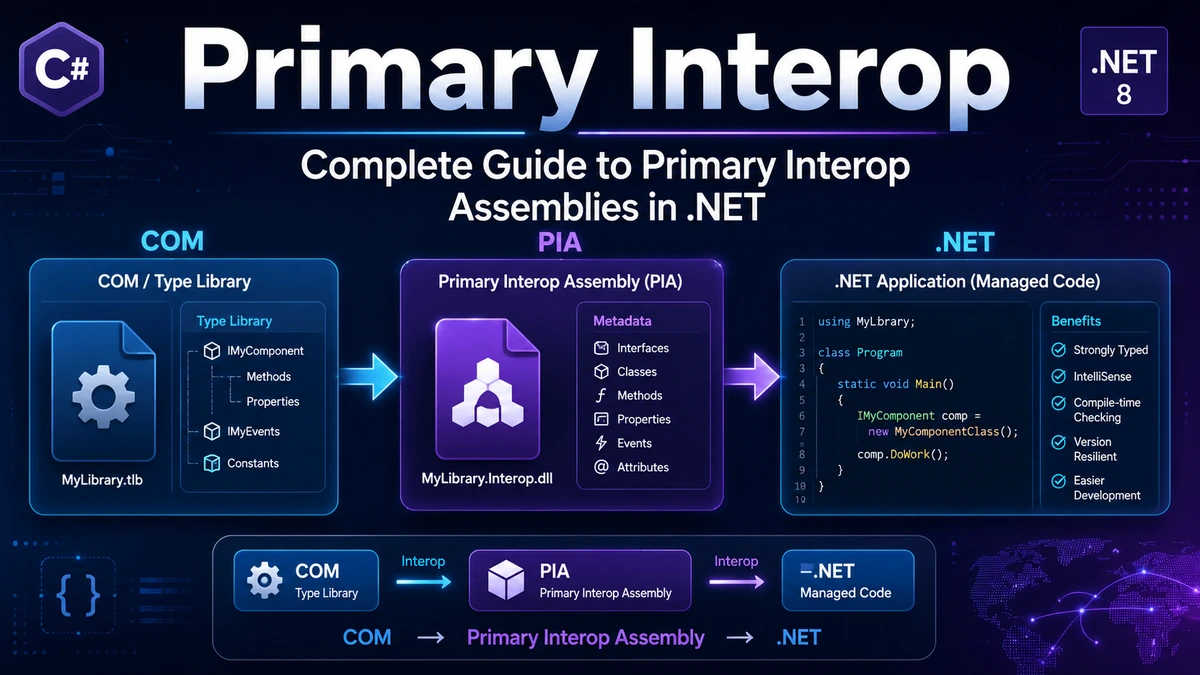
When I come across the phrase Primary Interop, I usually interpret it in the context of Microsoft’s Primary Interop Assemblies, commonly shortened to PIAs. The phrase itself is often used informally by developers, but Microsoft’s documentation centers on the more precise term “primary interop assembly.” A PIA provides an official .NET representation of types defined by a COM type library, allowing managed .NET code to interact with COM components through a consistent set of metadata definitions.
That explanation sounds straightforward, but Primary Interop sits at the intersection of several technologies that can make the subject confusing. COM has its own type system and historical deployment model. .NET works with managed assemblies and metadata. An interop assembly creates the bridge between those environments, while a primary interop assembly adds an important idea: there should be one publisher-authorized representation of a COM type library rather than every developer creating a different version.
I also think it is important to place PIAs in their modern context. They remain relevant for existing .NET Framework applications, Office automation, VSTO solutions, enterprise software, and legacy COM integration. At the same time, current Microsoft documentation explicitly distinguishes this older model from modern .NET COM interoperability. For newer .NET applications, Microsoft now points developers toward technologies such as COM source generation and System.Runtime.InteropServices.ComWrappers.
Understanding Primary Interop therefore requires more than learning how to reference a DLL. We need to understand why PIAs were created, what problem they solve, how they work, what role strong naming and type libraries play, how deployment has changed since .NET Framework 4, and when a modern application should choose a different interoperability strategy.
Key Takeaways About Primary Interop
The most useful points I would keep in mind are:
- Primary Interop generally refers to the use of Primary Interop Assemblies, or PIAs.
- A PIA represents COM type information as .NET metadata.
- The publisher of the original COM type library supplies the authoritative PIA.
- Microsoft says PIAs are signed by their publishers to ensure unique identity.
- A normal developer-generated interop assembly is not automatically a PIA.
Tlbimp.execan convert COM type libraries into interop assemblies.- The
/primaryoption is intended for the publisher of the underlying type library. - Beginning with .NET Framework 4, projects can embed the COM type information they actually use instead of deploying the complete PIA.
- Microsoft Office has historically been one of the most visible uses of PIAs.
- Modern .NET development increasingly uses source-generated COM interop or
ComWrappersinstead of legacy PIA-oriented deployment models.
In my view, the most important conceptual distinction is between interop and Primary Interop. Interop simply allows two different environments to communicate. A primary interop assembly adds an authoritative type-definition layer published for a particular COM library.
What Primary Interop Means
Primary Interop is best understood as a standardized way for managed .NET software to consume a COM component using type information approved by the publisher of that component.
COM, or the Component Object Model, predates modern .NET. Many Windows applications and enterprise technologies expose automation interfaces through COM. A COM server might contain objects, methods, properties, interfaces, enumerations, and other types that a developer needs to access.
The problem is that .NET does not consume COM type libraries in exactly the same form in which COM exposes them. .NET code needs managed metadata describing those types.
That is where an interop assembly enters the picture.
An interop assembly contains metadata representing COM types. Microsoft’s Type Library Importer, Tlbimp.exe, can read a COM type library and generate an assembly containing corresponding .NET metadata. Once that metadata is available, managed code can work with the COM types through familiar .NET syntax.
A Primary Interop Assembly takes the idea one step further. Instead of every software developer independently importing the COM type library and creating a separate assembly, the original publisher provides an official assembly.
Microsoft describes the distinction clearly:
“Primary interop assemblies are always signed by their publisher to ensure uniqueness.”
Microsoft Learn
That uniqueness is central to Primary Interop. If different developers generated separate representations of the same underlying COM interfaces, .NET could treat their imported types as having different identities. A publisher-provided PIA gives developers a common definition.
Why Primary Interop Assemblies Were Needed
To understand why PIAs exist, I find it useful to imagine a COM component distributed to several software companies.
Suppose a company called ExampleData publishes a COM type library containing an interface named ICustomerRecord.
Developer A imports that type library into .NET and creates Interop.ExampleData.dll.
Developer B independently imports the same library and creates another signed Interop.ExampleData.dll.
Although both assemblies originated from the same COM definitions, their managed identities can differ. That becomes a problem when software components attempt to exchange objects or expose imported COM types across managed assembly boundaries.
Microsoft’s .NET Framework documentation explains that independently imported and signed COM type libraries can create unique types that are incompatible with types generated by another developer. The recommended solution is to use the vendor-supplied PIA.
The PIA therefore acts as a common contract.
Instead of:
COM type library → Developer A assembly
and separately:
COM type library → Developer B assembly
the architecture becomes:
COM type library → Publisher's PIA → All managed consumers
That shared representation reduces ambiguity.
I see this as the real meaning of “primary” in Primary Interop. The assembly is not simply another wrapper. It is the publisher’s designated managed representation of the underlying COM type definitions.
How a Primary Interop Assembly Works
A PIA usually does not contain a rewritten implementation of the COM component. Its main purpose is to describe the component’s types in a way managed code understands.
Microsoft notes that interop assemblies typically contain metadata rather than application logic. The underlying COM server still performs the actual functionality.
Conceptually, the flow looks like this:
- A COM component exposes its interfaces through a type library.
- The publisher creates an official PIA representing those interfaces.
- A .NET application references the PIA.
- The .NET runtime’s COM interoperability infrastructure connects managed calls to the underlying COM object.
- Data and method calls cross the managed and unmanaged boundary using COM interop mechanisms.
A PIA can therefore be thought of as a managed type description rather than a replacement for the original COM software.
For example, installing an Excel interop assembly does not mean you have implemented Microsoft Excel. The assembly describes types that allow managed code to communicate with Excel’s COM object model. The underlying Office application still provides the actual functionality.
Microsoft describes this relationship directly in its Office documentation:
“The PIA enables managed code to interact with a Microsoft Office application’s COM-based object model.”
Microsoft Learn
That distinction becomes especially important when developers encounter DLL names such as Microsoft.Office.Interop.Excel.dll. The interop DLL is the managed representation of the API surface. Excel itself is the COM application being automated.
Primary Interop Assembly Versus a Normal Interop Assembly
A normal interop assembly and a PIA can contain similar representations of COM types, but their status and intended use differ.
The table below summarizes the practical distinction.
Primary Interop and Standard Interop Assembly Comparison
| Feature | Primary Interop Assembly | Standard Interop Assembly |
|---|---|---|
| Typical creator | Original COM library publisher | Application developer or build tool |
| Purpose | Official managed representation | Project-specific COM representation |
| Publisher authority | Yes | Not necessarily |
| Strong naming | Required for a traditional PIA | Depends on deployment requirements |
| Type consistency across consumers | Designed to provide a shared definition | Separate imports can cause identity differences |
| Created with Tlbimp | Can be, using publisher-specific PIA options | Yes |
| Recommended for third-party COM library under legacy PIA model | Yes | Usually only when no vendor PIA is available or project isolation is intentional |
| Required in modern .NET architecture | No | No, modern alternatives may be preferable |
Microsoft says the PIA should come from the same publisher as the type library and provide the official definitions of its types. Its documentation also advises consumers of third-party COM types to use that publisher’s PIA when following the traditional interop-assembly model.
The main takeaway is that every PIA is an interop assembly, but not every interop assembly is a PIA.
A developer can run Tlbimp.exe against a type library and create an interop DLL. That does not automatically make the developer’s DLL the primary assembly for someone else’s COM component.
The Role of COM Type Libraries
A COM type library contains descriptions of the interfaces and objects exposed by a COM component.
These descriptions can include information such as:
- Interfaces
- Methods
- Properties
- Parameters
- Enumerations
- Structures
- COM classes
- Type identifiers
- Libraries referenced by the component
.NET needs a compatible metadata representation before managed code can conveniently use those definitions.
Microsoft’s type-library import guidance explains that COM type definitions commonly reside in a type library, while managed compilers expect metadata inside an assembly. An interop assembly bridges those two representations.
For a simplified example, imagine a COM library exposing:
ICalculator
    Add(int a, int b)
    Subtract(int a, int b)
A .NET interop assembly exposes compatible managed metadata so C# code can refer to ICalculator without manually recreating all COM declarations.
The implementation still lives inside the original COM component. The interop metadata tells the runtime how managed code relates to that component.
This is why I prefer to describe an interop assembly as a metadata bridge, not as a copy of the original software.
What Tlbimp.exe Does in Primary Interop
Tlbimp.exe, short for Type Library Importer, is one of the classic .NET Framework COM interoperability tools.
Microsoft documents the tool as converting coclasses and interfaces from a COM type library into .NET metadata. It creates an interop assembly and associated namespace for the imported type information.
A basic import can look like:
tlbimp ExampleLibrary.tlbA developer can also specify an output file:
tlbimp ExampleLibrary.tlb /out:Interop.ExampleLibrary.dllThose commands create ordinary interop assemblies.
Creating a true PIA adds stricter requirements.
Microsoft documents syntax along these lines for the publisher:
tlbimp ExampleLibrary.tlb /primary /keyfile:publisher.snk /out:ExampleLibrary.Interop.dllThe /primary option indicates that the output is intended to be the publisher’s primary interop assembly. Microsoft explicitly warns that developers should only use /primary if they are the publisher of the type library being imported.
That restriction makes sense. If any third party could declare its own wrapper to be “primary,” the entire concept of a publisher-authoritative type definition would lose meaning.
Why Strong Naming Matters for a PIA
Traditional PIAs use strong names.
A strong name gives a .NET assembly an identity involving its name, version, culture information, and public-key information. Within the Primary Interop model, signing helps establish a unique publisher-controlled identity for the official assembly.
Microsoft states that Tlbimp.exe enforces strong naming when it creates a primary interop assembly from a COM type library.
It is worth making a distinction here. Strong-name signing should not automatically be equated with security in the broad sense of code-signing trust. Its central role in this scenario is assembly identity.
For a PIA publisher, the signing process helps ensure that consumers reference the same canonical managed representation.
For an ordinary application developer consuming somebody else’s COM library, the correct approach is generally to use the publisher’s PIA rather than creating a competing “primary” assembly.
PrimaryInteropAssemblyAttribute Explained
.NET includes System.Runtime.InteropServices.PrimaryInteropAssemblyAttribute.
Microsoft defines this attribute as indicating that an assembly is a primary interop assembly.
The attribute contains version information corresponding to the type library represented by the assembly.
Microsoft also explains that a managed PIA normally uses both:
GuidAttributePrimaryInteropAssemblyAttribute
The GUID identifies the type library, while the PIA attribute identifies the version for which the assembly acts as the primary representation.
A conceptual example might look like:
[assembly: Guid("00000000-0000-0000-0000-000000000001")]
[assembly: PrimaryInteropAssembly(1, 0)]
I would not recommend treating those attributes as a shortcut for turning an arbitrary third-party wrapper into an authoritative PIA. The important concept is still publisher ownership of the original type library.
Registering a Primary Interop Assembly
Traditional .NET Framework workflows can register PIAs so development tools know which official interop assembly corresponds to a COM type library.
Microsoft’s current .NET Framework documentation shows registration using Regasm.exe:
regasm ExampleLibrary.Interop.dllRegasm.exe adds information under the registry key associated with the original type library. Visual Studio and tools such as Tlbimp.exe can then locate the registered PIA.
Microsoft identifies two practical advantages of registration in this legacy workflow. A registered PIA becomes easier to locate, and registration reduces the chance that Visual Studio will create a separate interop assembly when the official one already exists.
However, I would pay close attention to the scope of that guidance.
Microsoft now labels these PIA registration instructions as .NET Framework-specific and directs developers building modern .NET COM solutions toward newer interop mechanisms.
That qualification prevents an important mistake: applying old .NET Framework deployment instructions indiscriminately to a new .NET project.
Embedded Interop Types Changed PIA Deployment
One of the most important changes in the history of Primary Interop arrived with .NET Framework 4.
Instead of requiring the complete interop assembly to be deployed with an application, the compiler can embed the interop type information the application actually needs.
Microsoft calls this embedded interop types and recommends the approach in its .NET Framework interop deployment documentation.
The basic idea is:
Before embedded types:
Application.exe
    ↓
Interop.Library.dll
    ↓
COM Component
With embedded interop types:
Application.exe[contains required COM type metadata]
↓ COM Component
The application still needs the actual COM component, of course. What it may no longer need is a separate deployed copy of the PIA.
Microsoft explains that only the interop type information used by the application is embedded. This can simplify deployment and avoid requiring the entire PIA on the end-user computer.
Why Type Equivalence Is Important
Embedded interop types rely on COM type equivalence.
If one application embeds a representation of an interface and another assembly embeds the corresponding type, the runtime needs a way to recognize that the two represent the same underlying COM identity.
Microsoft’s type-equivalence documentation describes identity rules involving COM-compatible type identities and TypeIdentifierAttribute. Supported equivalent categories include interfaces, structures, enumerations, and delegates under the documented conditions.
This feature was sometimes referred to as No-PIA because it reduced the need to redistribute PIA DLLs with each application.
From my perspective, this development is one reason developers should be careful when reading older deployment guides. Advice from early .NET Framework versions may assume that a PIA must always be physically installed on the user’s machine. That is no longer universally true.
Primary Interop in Microsoft Office Development
Microsoft Office is probably the best-known example of Primary Interop in everyday .NET development.
Applications such as Excel, Word, Outlook, PowerPoint, and Access historically expose substantial automation functionality through COM object models. Managed Office solutions need a way to consume those interfaces.
Microsoft publishes Office PIAs for this purpose.
Its Visual Studio documentation explains that an Office PIA lets managed code interact with the COM-based object model of the corresponding Office application. When developers create supported Office projects, Visual Studio can add the necessary PIA references automatically.
Example: Excel Interop
Consider a C# application designed to automate Excel.
Conceptually, the project can work with types such as:
Microsoft.Office.Interop.Excel.Application
Microsoft.Office.Interop.Excel.Workbook
Microsoft.Office.Interop.Excel.Worksheet
Microsoft.Office.Interop.Excel.Range
Those managed type definitions correspond to objects exposed by Excel’s COM object model.
The PIA does not perform spreadsheet calculations itself. Excel provides the actual application functionality.
The PIA lets managed C# or Visual Basic code communicate with that functionality.
Example: Word and Outlook
The same model applies to Word and Outlook.
A Word solution can work with managed representations of Word’s Application, Document, Range, and related COM types.
An Outlook solution can interact with Outlook’s object model through the Outlook PIA.
Microsoft’s Outlook PIA reference describes it as an extension of Outlook’s developer documentation into the managed environment and includes managed representations of the application’s object model.
Office PIAs and Embed Interop Types
Office development also demonstrates why embedded interop types matter.
For projects targeting .NET Framework 4 or later, Microsoft states that the Embed Interop Types property is set to True by default when referencing Office PIAs in the relevant project types. As a result, end-user computers generally do not need the PIA as a separate prerequisite for those embedded types.
The development machine still needs appropriate Office development components for traditional VSTO development, but application deployment can become simpler.
The important distinction looks like this:
| Situation | Separate PIA on End-User Machine? | Typical Approach |
|---|---|---|
Embed Interop Types = True | Usually not required | Used types are compiled into the solution |
Embed Interop Types = False | Required under the traditional model | PIA must be available to the solution |
| Modern cross-platform Office extension | PIA model may not be appropriate | Consider Office Add-ins and web technologies |
| Modern general COM integration | Legacy PIA model may not be preferred | Evaluate source-generated COM or ComWrappers |
Microsoft notes that if Embed Interop Types is False, Office PIAs must be installed and registered for the traditional solution. It also promotes the Office Add-ins model for applications that need broader cross-platform reach.
I think this table reveals an important architectural lesson. “Use a PIA” is no longer enough information to make a deployment decision. Developers also need to know the target framework, project type, hosting environment, and whether the interop types are embedded.
How to Add an Office PIA Reference in Visual Studio
For supported traditional Office projects, Microsoft’s documentation describes the following general process:
- Open the project in Visual Studio.
- Choose the project in Solution Explorer.
- Add a reference.
- Select the required Office primary interop assembly.
- Verify the reference appears in the project’s references.
- When applicable, check that
Embed Interop Typesis set toTrue.
Microsoft specifically advises using the .NET reference mechanism rather than the COM tab for Office PIA references in the documented VSTO workflow.
I would also verify the project’s target framework before following any tutorial. A guide written for a .NET Framework VSTO project may not apply cleanly to a current .NET application.
How to Decide Whether You Need Primary Interop
Before adding an interop assembly, I would ask four questions.
Is the Component Actually COM-Based?
PIAs solve a specific interoperability problem.
If the library already exposes a normal managed .NET API, there may be no reason to involve COM interop.
Likewise, if the external system provides a REST API, web service, native C ABI, or managed SDK, another integration technique may be more appropriate.
Does the Vendor Supply a PIA?
When working under the classic PIA model with a third-party COM component, Microsoft recommends using the publisher-supplied primary interop assembly rather than generating a competing representation.
This is especially important when imported COM types cross managed component boundaries.
Is the Project .NET Framework or Modern .NET?
This may be the most important question today.
Microsoft now marks many Tlbimp, Regasm, GAC, and PIA deployment documents as legacy .NET Framework guidance. For modern .NET, it recommends newer COM interoperability options.
Is Office Automation the Actual Goal?
For an existing Windows-only VSTO solution, Office PIAs can still be central.
For a new solution that must work across Windows, web, and other supported Office environments, Microsoft’s Office documentation points developers toward the Office Add-ins model using web technologies.
The answer therefore depends on architecture rather than keyword popularity.
Primary Interop Versus Modern .NET COM Interop
Primary Interop remains useful knowledge, but Microsoft’s current documentation makes an important distinction between .NET Framework COM interoperability and modern .NET.
Modern .NET includes built-in COM interoperability on Windows and newer customization mechanisms.
Microsoft documents ComWrappers as an API introduced in .NET 6. Beginning with .NET 8, developers can also use COM source generation for IUnknown-based interfaces.
The documentation summarizes the newer direction with this statement:
“Starting in .NET 8, you can use the COM source generator.”
Microsoft Learn
This does not mean every PIA-based application should immediately be rewritten.
Legacy enterprise applications can have years of stable production behavior. VSTO solutions may depend deeply on Office’s COM model. Rewriting a functioning application simply because a newer API exists may introduce cost without delivering meaningful benefits.
I would instead use project context.
For an established .NET Framework application that already references vendor PIAs, continuing that architecture can be reasonable.
For greenfield modern .NET development, I would evaluate the newer interoperability model before designing the solution around traditional PIA registration and deployment.
Primary Interop Decision Table for Developers
The following comparison can help determine which direction deserves investigation.
| Scenario | Primary Interop / PIA | Embedded Interop Types | Modern COM Interop |
|---|---|---|---|
| Existing .NET Framework COM application | Often appropriate | Usually worth considering | Migration option |
| Legacy enterprise COM SDK with vendor PIA | Strong candidate | Depends on application | Evaluate for modernization |
| VSTO Office add-in | Common | Common for .NET Framework 4+ | Depends on project model |
| New cross-platform Office extension | Usually not ideal | Not the main solution | Office Add-ins often fit better |
| New .NET application calling COM | May be unnecessary | Framework-dependent | Source generation or ComWrappers deserve evaluation |
| Publisher distributing a traditional COM API to .NET Framework consumers | PIA may be appropriate | Consumers may embed types | Depends on supported runtimes |
| Application using only managed .NET libraries | Not needed | Not needed | Not needed |
The practical lesson I draw from this comparison is that Primary Interop is a compatibility architecture, not a universal integration technology.
A Step-by-Step Primary Interop Workflow
When I need to assess an existing application that uses Primary Interop, I would approach it systematically.
Step 1: Identify the COM Component
Determine which native or COM application the .NET project is trying to automate.
Look for:
- Registered COM libraries
.tlbfilesInterop.*.dllMicrosoft.Office.Interop.*- COM references in Visual Studio
System.Runtime.InteropServicesusage- COM GUIDs
ComImportattributes
Understanding the actual dependency prevents unnecessary modifications.
Step 2: Determine Whether a Publisher PIA Exists
Check the component vendor’s documentation and installation package.
If the vendor supplies an official PIA, that is normally preferable to generating another public interop assembly in a legacy .NET Framework scenario.
Microsoft’s reasoning is type consistency. Different independently generated assemblies can create incompatible managed identities for equivalent COM definitions.
Step 3: Check the Target Runtime
Determine whether the project targets:
- .NET Framework
- .NET Core
- .NET 5 or later
- A supported VSTO project model
- A modern Windows application architecture
Do not assume instructions for one environment apply to another.
Step 4: Inspect Embed Interop Types
For a .NET Framework project that references a PIA, inspect the Embed Interop Types property.
When it is enabled, the compiler can embed the required type information into the consuming assembly. Microsoft recommends embedded interop types in its .NET Framework compilation guidance.
Step 5: Verify the Actual COM Component Is Installed
Embedding interop metadata does not eliminate the underlying application dependency.
For example, embedding Excel interop types does not put Excel inside your application. If your code automates the desktop Excel object model, the relevant Office application still needs to exist in the supported environment.
Step 6: Test Architecture Compatibility
Interop problems often involve more than the PIA itself.
Check:
- 32-bit versus 64-bit architecture
- COM registration
- Threading assumptions
- Office version support
- Runtime version
- User permissions
- Installer behavior
- Server-side automation restrictions
- Deployment target
A missing interop DLL is only one possible cause of a COM integration failure.
Step 7: Decide Whether Modernization Is Worthwhile
For a mature application, retaining the PIA model can be the lowest-risk option.
For new code, investigate current .NET COM interoperability or a non-COM API if the vendor provides one.
Common Primary Interop Mistakes
Treating Any Interop DLL as a PIA
An ordinary assembly generated from a type library is not automatically the official PIA.
The publisher relationship matters.
Microsoft says the primary assembly is provided by the same publisher as the type library and represents its official type definitions.
Using /primary for Someone Else’s COM Library
Microsoft warns that the /primary option should only be used when you are the publisher of the type library being imported.
Using that option does not magically make a third-party-generated assembly authoritative.
Assuming a PIA Replaces the COM Application
It does not.
The PIA exposes managed metadata for communication with the underlying COM component.
An Office PIA, for example, is not a replacement for the corresponding Office application.
Deploying Every PIA Automatically
With embedded interop types, a separate PIA may not need to be deployed to the user’s machine.
Microsoft recommends embedding required type information in the applicable .NET Framework scenarios.
Following Old GAC Instructions for a Modern Project
The Global Assembly Cache and classic registered PIA deployment model belong primarily to .NET Framework-era guidance.
Microsoft now labels those instructions as legacy for modern .NET development.
Confusing Strong Names With Security Validation
Strong naming primarily provides assembly identity in this context.
It should not be interpreted as a complete security review or a guarantee that code is trustworthy.
Ignoring Bitness
COM automation can fail when 32-bit and 64-bit components do not align with the process architecture.
When an application reports activation or registration errors, I would check bitness alongside interop references rather than assuming the PIA is defective.
Troubleshooting Primary Interop Problems
When a PIA-based application fails, the error message often appears far removed from the underlying cause.
“Could Not Load File or Assembly”
This can indicate that the project expects a PIA or dependent assembly that is not available at runtime.
Check whether the interop reference is supposed to be embedded or deployed.
If Embed Interop Types is disabled, the assembly may need to be installed with the application.
“COM Class Factory” or Activation Errors
These errors can occur even when the PIA is present.
Possible causes include:
- COM server not installed
- Component not registered
- Incorrect architecture
- Missing permissions
- Unsupported environment
- Incorrect CLSID or registration information
The lesson is that a PIA reference solves type visibility, not every COM activation problem.
Type Mismatch Between Libraries
If separate applications or libraries independently generated interop definitions, they may expose types that appear identical but do not share the expected identity.
This is one of the original problems PIAs were designed to solve.
Office Interop Works on the Developer Machine but Not the User Machine
I would check:
- Whether Office is installed.
- Whether the correct Office application is present.
- Whether the solution depends on a separate PIA.
- Whether
Embed Interop Typesis enabled. - Whether the VSTO runtime is required.
- Whether architecture matches.
- Whether deployment prerequisites were included.
Microsoft’s current VSTO deployment documentation also describes checking Office PIA and runtime prerequisites when the application’s setup requires them.
When Primary Interop Still Makes Sense
Primary Interop remains meaningful whenever existing Windows software depends on COM.
I would expect PIAs to remain particularly relevant in areas such as:
- Long-lived enterprise applications
- Microsoft Office desktop automation
- VSTO solutions
- Engineering software with COM APIs
- Financial applications exposing legacy automation interfaces
- Industrial tools with COM-based SDKs
- Applications that cannot yet migrate away from .NET Framework
- Vendor ecosystems that still distribute official PIAs
The technology’s age does not automatically make it obsolete.
A stable interop layer that has been tested for years can be valuable.
The key is recognizing when it is a compatibility requirement and when it is being chosen unnecessarily for a greenfield application.
When I Would Consider an Alternative to Primary Interop
I would investigate alternatives when starting a new application and one or more of the following is true:
- The target framework is modern .NET.
- The application needs Native AOT or trimming-friendly interoperability.
- The vendor provides a native API that works better with source generation.
- The application must run outside Windows.
- Office functionality needs to work across platforms.
- A REST or web API can replace desktop COM automation.
- The application does not need the original COM object model.
- Maintaining registry-based COM dependencies creates deployment difficulties.
Microsoft’s general COM documentation describes built-in runtime COM support as well as ComWrappers, with source-generated COM available starting in .NET 8 for appropriate IUnknown-based scenarios.
For cross-platform Office extensions, Microsoft separately recommends examining the Office Add-ins model.
The right migration target therefore depends on what the existing COM dependency actually does.
Expert Recommendations for Working With Primary Interop
My first recommendation is to identify the official publisher boundary before changing anything.
If a third-party vendor provides the COM server and its PIA, treat those two components as part of the same supported interface contract.
Second, avoid regenerating interop assemblies merely because Visual Studio lets you.
A generated wrapper can compile successfully while still producing deployment or type-identity problems in a larger system.
Third, use embedded interop types where the supported .NET Framework architecture benefits from them. Microsoft calls this the recommended technique for relevant interop compilation and deployment scenarios.
Fourth, separate development-time dependencies from runtime dependencies.
You may need a PIA or development tooling to compile the application while embedding the specific interop metadata into your output. The end user’s dependency picture can therefore differ from the developer workstation.
Fifth, do not modernize blindly.
A working enterprise application should not be rewritten around ComWrappers solely because the API is newer. Migration should solve an actual business or technical problem.
Finally, do not design a new application around a legacy deployment model without checking Microsoft’s current guidance. Microsoft’s documentation now clearly marks several PIA, registry, GAC, and Tlbimp workflows as .NET Framework-specific.
Why Primary Interop Still Matters to Developers
I think Primary Interop is worth learning because it explains a large amount of Windows software history that developers still encounter today.
A developer maintaining an Excel automation tool may see Microsoft.Office.Interop.Excel.
A developer integrating an industrial system may receive an Interop.Vendor.dll.
Another developer may inherit a project containing regasm, COM GUIDs, PIA references, and GAC deployment instructions.
Without understanding Primary Interop, these components can look like unrelated legacy artifacts.
Once the model becomes clear, the pieces fit together:
- COM defines the native object model.
- The type library describes that model.
- An interop assembly exposes compatible metadata to .NET.
- A PIA is the publisher-approved interop assembly.
- Embedded interop types can reduce deployment dependency on the separate PIA.
- Modern .NET provides newer COM interoperability mechanisms for appropriate new applications.
That mental model is far more useful than memorizing one Visual Studio setting.
Conclusion
My main takeaway from Primary Interop is that it solves a type-definition and compatibility problem between managed .NET applications and COM components. A Primary Interop Assembly gives developers a publisher-authorized managed representation of a COM type library, helping different applications work from consistent type definitions rather than independently generated wrappers.
The model remains particularly important when maintaining .NET Framework applications, VSTO projects, Office automation tools, and enterprise systems that still expose COM APIs. At the same time, I would not assume that a traditional PIA is the best starting point for every new project. Embedded interop types already changed the old deployment model substantially, and modern .NET offers alternatives such as ComWrappers and source-generated COM interoperability.
For developers evaluating an existing codebase, the best next action is to identify the COM component, confirm whether its publisher supplies an official PIA, check the project’s target framework, inspect the Embed Interop Types setting, and then decide whether maintaining the current approach or migrating to a newer architecture provides the better long-term result.
READ: McDonald’s Worker Faces Criminal Charges Over Contaminated Food Video: What Happened
Frequently Asked Questions
What Is Primary Interop?
Primary Interop usually refers to the use of a Primary Interop Assembly in .NET COM integration. A PIA contains managed metadata describing types from a COM type library and is supplied by the publisher responsible for that type library. It gives managed applications a consistent representation of COM interfaces, classes, enumerations, and related definitions. Microsoft distinguishes a publisher-supplied PIA from an ordinary interop assembly that an individual developer can generate from the same COM type library.
What Is a Primary Interop Assembly?
A Primary Interop Assembly, or PIA, is the official .NET interop assembly associated with a COM type library. Microsoft explains that PIAs are supplied by the publisher of the type library and contain the official managed definitions for its types. Traditional PIAs are strongly named so they have unique assembly identity. Developers using third-party COM libraries under this model should normally consume the publisher’s PIA rather than independently importing and signing another representation of the same type library.
What Is the Difference Between Interop and Primary Interop?
Interop is the broader process of making different software technologies communicate, while Primary Interop refers specifically to an authoritative publisher-provided interop assembly in the traditional .NET COM model. A developer can create an ordinary interop assembly with a tool such as Tlbimp.exe. A PIA has additional publisher identity and is intended to provide the canonical .NET representation of the COM type library. This distinction helps prevent separate consumers from producing incompatible imported type definitions.
What Does Tlbimp.exe Do?
Tlbimp.exe is Microsoft’s Type Library Importer for the traditional .NET Framework COM interop model. It reads the classes and interfaces defined in a COM type library and converts them into metadata stored in a .NET interop assembly. A normal invocation generates a standard interop assembly. The /primary option is used when the publisher is creating a primary interop assembly, and Microsoft says that option should only be used by the publisher of the imported type library.
Do I Need to Install Primary Interop Assemblies on Every Computer?
Not always. Beginning with .NET Framework 4, supported projects can embed the interop type information they actually use into their own assembly. Microsoft’s documentation recommends this embedded-type approach for relevant .NET Framework interop scenarios because a separate PIA does not then need to be deployed with the application. The underlying COM component still needs to be available. If embedding is disabled and the application directly references the PIA at runtime, traditional PIA deployment requirements can still apply.
What Does Embed Interop Types Mean?
Embed Interop Types tells the compiler to include the required COM type metadata from an interop assembly in the consuming application’s output instead of making the entire interop DLL a runtime dependency. Microsoft says this is enabled by default for applicable Office projects targeting .NET Framework 4 or later. It simplifies deployment because the end-user computer generally does not need the complete PIA as a separate prerequisite when the necessary type information has been embedded.
Is Microsoft.Office.Interop an Example of Primary Interop?
Yes. Microsoft Office applications provide some of the best-known examples of Primary Interop Assemblies. Office PIAs expose managed representations of COM-based application object models such as Excel, Word, Outlook, and other Office applications. A .NET Office solution can use those types to interact with the corresponding desktop application’s functionality. The PIA itself is not Office. It is the managed bridge to the COM object model supplied by the Office application.
Does Microsoft Still Recommend Primary Interop for Modern .NET?
Microsoft still documents PIAs for .NET Framework and existing interoperability scenarios, but its current documentation explicitly separates that guidance from modern .NET. For new COM interoperability work, Microsoft directs developers to evaluate modern mechanisms such as System.Runtime.InteropServices.ComWrappers and source-generated COM interop. Starting with .NET 8, a COM source generator can implement ComWrappers support for appropriate IUnknown-based interfaces. Existing PIA-based applications may still remain perfectly valid when migration provides little practical benefit.
Can I Create My Own Primary Interop Assembly?
You can create a PIA for a COM type library that you publish, but you should not use the PIA designation to create an “official” wrapper for somebody else’s library. Microsoft states that Tlbimp.exe /primary should only be used when you are the publisher of the type library being imported. Traditional PIA generation also requires strong naming and compliance with rules involving dependent PIAs. If you merely need to consume a third-party COM library, use the publisher’s PIA when one is provided.
Is a Primary Interop Assembly the Same as the COM DLL?
No. A Primary Interop Assembly contains .NET metadata describing the COM types, while the COM DLL or application provides the actual native functionality. The PIA allows managed code to understand and call the COM interface. Removing the underlying COM application normally means the managed code has nothing to activate or automate, even if the interop metadata remains available. This distinction is particularly easy to see with Microsoft Office, where the Office PIA describes the object model but the installed Office application performs the actual work.
Sources and References
- Microsoft Learn, PrimaryInteropAssemblyAttribute Class, for Microsoft’s definition of PIAs, publisher ownership, signing, and type-library identity.
- Microsoft Learn, How to Register Primary Interop Assemblies, for publisher-provided PIAs and registration guidance in .NET Framework.
- Microsoft Learn, Tlbimp.exe Type Library Importer, for type-library conversion and the
/primaryoption. - Microsoft Learn, Import a Type Library as an Assembly, for interop metadata and embedded type guidance.
- Microsoft Learn, Type Equivalence and Embedded Interop Types, for No-PIA-style deployment and type equivalence.
- Microsoft Learn, Office Primary Interop Assemblies, for Office COM object-model integration.
- Microsoft Learn, COM Interop in .NET, for
ComWrappersand source-generated COM interoperability in modern .NET. - Microsoft Learn, Design and Create Office Solutions, for VSTO and modern Office Add-ins guidance.
Disclaimer
This article is intended for technical education and general software-development guidance. Primary Interop behavior can differ depending on the .NET runtime, Windows architecture, COM component, Office version, Visual Studio configuration, vendor SDK, deployment model, and application requirements. I recommend checking the current documentation for the exact framework and component you are using before changing production COM registrations, replacing interop assemblies, modifying installer prerequisites, or migrating an existing PIA-based application.
Technology
Application Compatibility Toolkit 5.0: Features, Installation, Testing, Fixes, and Modern Alternatives
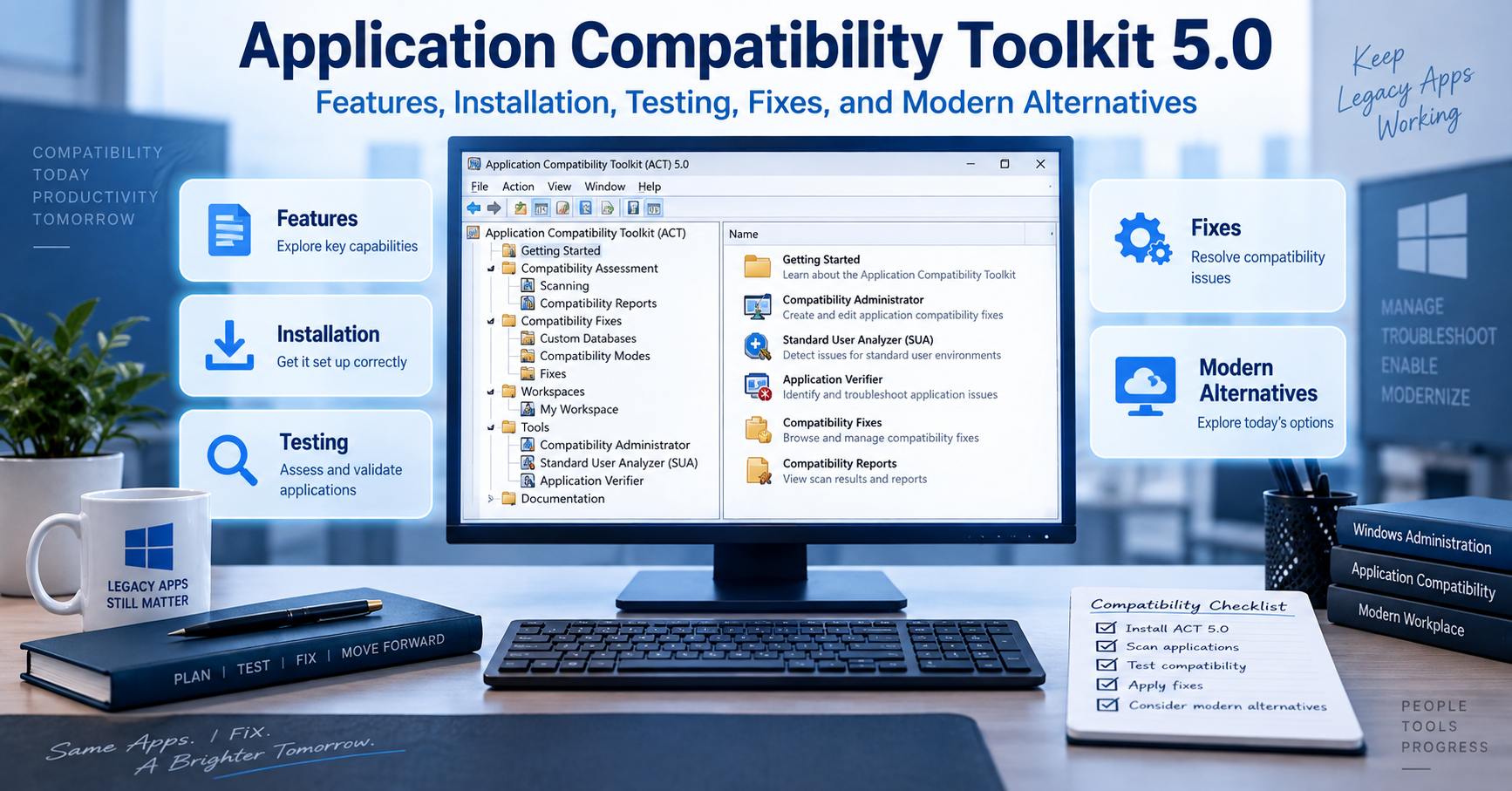
When I look at Application Compatibility Toolkit 5.0, I see more than an old Microsoft utility. It represents an important stage in the evolution of Windows application compatibility management, particularly during the transition from Windows XP to Windows Vista. Microsoft designed ACT 5.0 to help organizations identify applications, assess compatibility risks, test software against operating-system changes, and apply targeted mitigations when applications could not immediately be rewritten. Today, however, anyone researching ACT 5.0 needs to understand an equally important fact: it belongs to a legacy generation of Microsoft’s compatibility tooling and should not be treated as the standard solution for a modern Windows deployment.
My aim in this guide is therefore twofold. I will explain what Application Compatibility Toolkit 5.0 was designed to do and how its major tools worked, while also separating historically valid procedures from sensible current practice. That distinction matters because old tutorials can still describe technically correct ACT workflows while linking to retired downloads, obsolete prerequisites, or unsupported Windows versions. Microsoft’s current documentation explicitly says that the ACT versions covered by its older documentation are no longer supported, and Configuration Manager documentation records that the final ACT generation shipped with the Windows 10 version 1511 ADK.
Key Takeaways About Application Compatibility Toolkit 5.0
The most useful way I can summarize ACT 5.0 is as an enterprise compatibility assessment and remediation framework created for a very different Windows deployment era. It was not simply a button that made old software run. It combined inventory, compatibility evaluation, centralized reporting, application testing, and mitigation technologies such as compatibility fixes, commonly called shims. Microsoft also positioned it as a way to reduce the time organizations spent discovering application problems during a Windows Vista migration.
The practical lessons are straightforward:
- ACT 5.0 was primarily associated with application compatibility planning for Windows Vista-era environments.
- Compatibility Administrator could apply and test predefined compatibility fixes against problematic applications.
- Standard User Analyzer focused on problems involving User Account Control and standard-user permissions.
- Compatibility databases could store fixes, application matching information, compatibility modes, and AppHelp messages.
- ACT workflows could support broader application inventory and compatibility assessment across an organization.
- Microsoft no longer supports the ACT generations described in its legacy documentation.
- I would not download ACT 5.0 from random third-party archives for use on a current production computer.
- For present-day troubleshooting, current Microsoft deployment tools, supported Windows diagnostics, vendor updates, and application remediation should take priority.
What Is Application Compatibility Toolkit 5.0?
Application Compatibility Toolkit 5.0, commonly abbreviated as ACT 5.0, was a Microsoft toolkit for identifying, evaluating, and mitigating application compatibility problems. Microsoft released it during the Windows Vista deployment period, when organizations faced a major challenge: thousands of applications written for Windows XP or earlier systems did not necessarily behave correctly under Vista’s changed security model, User Account Control, Internet Explorer changes, or other operating-system differences.
Microsoft described ACT more broadly as a lifecycle-management tool for analyzing application portfolios, evaluating operating-system deployments and updates, organizing compatibility information, prioritizing remediation work, and deploying automated mitigations for known problems. That broader definition is useful because it prevents a common misunderstanding. ACT was not merely Compatibility Administrator. Compatibility Administrator was one important component inside a larger compatibility-management strategy.
ACT 5.0 also appeared in Microsoft’s security-update guidance. Microsoft explained that updates could modify files and registry settings that applications relied on, potentially producing incompatibilities. Its guidance pointed administrators toward the Update Compatibility Evaluator in ACT 5.0 for testing and validating updates against installed applications.
For readers encountering the name for the first time, I think the easiest mental model is this: imagine an organization with hundreds or thousands of Windows programs preparing for an operating-system migration. Testing every program manually on every computer would be inefficient. ACT helped the organization collect information, prioritize potentially problematic software, investigate failures, and apply certain compatibility workarounds while permanent fixes were being developed.
Why Microsoft Created Application Compatibility Toolkit 5.0
Windows Vista changed several behaviors that old applications had taken for granted. One particularly important area involved administrative permissions. Older Windows applications were often designed when users commonly worked with broad administrative privileges. They might attempt to write into protected directories, change machine-wide registry areas, install components at runtime, or perform tasks that Vista’s security model handled differently.
User Account Control made these assumptions more visible. Applications that behaved perfectly when a user was an administrator could fail when launched under standard-user permissions. Microsoft therefore needed tools that could help developers and administrators identify whether a program’s failures were caused by file permissions, registry access, privilege requirements, operating-system version checks, or another compatibility issue.
ACT also addressed the organizational side of migration. Compatibility work can become chaotic when every department maintains its own spreadsheet and nobody knows whether an application has been tested, whether another team has already found a fix, or whether a vendor has released an update. Microsoft’s ACT documentation described capabilities for analyzing application inventories, organizing systems and applications, filtering reports, managing issues and solutions, and exchanging compatibility information.
Microsoft’s 2007 announcement captured the product’s intended purpose particularly clearly.
“ACT 5.0 is a tool that helps businesses reduce the cost and time needed to resolve potential application compatibility issues.”
Microsoft
I think that sentence is still the best way to understand why ACT existed. The goal was not magical backwards compatibility. The goal was to turn compatibility from an unpredictable migration obstacle into a process that administrators could inventory, test, document, prioritize, and remediate.
Application Compatibility Toolkit 5.0 Components and Their Purposes
ACT 5.0 consisted of multiple tools and evaluators rather than one single compatibility engine. Exact components varied across ACT generations, which is another reason I recommend checking the documentation for the specific version being examined rather than assuming instructions for ACT 5.5 or 5.6 apply identically to 5.0.
Compatibility Administrator
Compatibility Administrator is probably the ACT component that remains most recognizable. Microsoft describes it as a utility containing prepackaged compatibility fixes that can be tested against applications that do not behave correctly under Windows. These fixes are often called AppFixes or shims.
A shim works between an application and Windows to alter a narrowly defined behavior. Instead of modifying the application’s source code, Windows can intercept a relevant operation and present behavior that the older application expects. This can be valuable when source code is unavailable or when an immediate vendor fix is not practical.
For example, imagine a hypothetical accounting application that refuses to start because it performs an outdated Windows version check. A compatibility fix might allow the program to receive information that satisfies that check without modifying the executable. That is a simplification, but it illustrates why shims were valuable during operating-system migrations.
Microsoft’s Compatibility Administrator documentation also explains that compatibility databases can store known fixes, modes, AppHelp messages, and the matching information Windows uses to associate a rule with the correct application. Later ACT documentation notes separate 32-bit and 64-bit Compatibility Administrator tools and states that the appropriate architecture should be used when creating databases for corresponding applications.
Standard User Analyzer
Standard User Analyzer, or SUA, was designed to identify compatibility problems related to User Account Control. Microsoft’s documentation says SUA can monitor application API activity and detect UAC-related compatibility problems. It can test a program under administrator or standard-user conditions, allowing an administrator to see how privileges affect behavior.
SUA could expose attempts to write to protected file locations or registry areas. Microsoft’s documentation describes interface tabs dedicated to file-system and registry activity, making it easier to recognize situations where an old application assumes permissions it should not require.
Consider a hypothetical inventory application that saves configuration data directly beneath a protected installation directory. When an administrator runs it, everything appears normal. A standard employee launches it and receives an access-denied error. SUA could help reveal that the program is attempting a protected write, giving the administrator concrete evidence to guide remediation.
Standard User Analyzer Wizard
Microsoft also documented an SUA Wizard intended to simplify UAC compatibility testing. The wizard offered a guided process but less detailed analysis than the complete Standard User Analyzer interface. Microsoft’s archived documentation says the wizard could launch an application, let the tester exercise relevant functionality, suggest potential remedies, apply them, and then allow the application to be tested again.
That distinction is useful for understanding Microsoft’s design philosophy. The full SUA tool supported deeper diagnosis, while the wizard attempted to make common compatibility testing accessible through a more structured workflow.
Update Compatibility Evaluator
The Update Compatibility Evaluator addressed a different problem: determining whether operating-system and security updates could interfere with installed applications. Microsoft repeatedly referenced this component in its security bulletins, explaining that updates sometimes affected files or registry settings required by applications.
In practical terms, this mattered for organizations that could not simply deploy an update and hope every business-critical program survived. Compatibility evaluation helped administrators identify applications touched by relevant system changes and concentrate testing where risks were greatest.
Application Inventory and Centralized Compatibility Information
ACT was also intended to help organizations understand what software actually existed across their environment. Microsoft describes ACT capabilities for analyzing portfolios of applications, websites, and computers, organizing those assets, prioritizing compatibility work through reporting, and managing issues and solutions centrally.
This inventory element often receives less attention than shims, but I consider it one of the most important ideas behind the toolkit. Compatibility management becomes much easier when administrators first know which applications matter, who uses them, whether vendors still support them, and how critical they are to business operations.
Application Compatibility Toolkit 5.0 Feature Comparison
The following table separates several key ACT-related capabilities so that readers do not confuse tools intended for different stages of compatibility work.
| Tool or Capability | Main Purpose | Typical Problem Addressed | Practical Output |
|---|---|---|---|
| Compatibility Administrator | Test and create application compatibility fixes | Legacy application behaves incorrectly on newer Windows | Compatibility fix or custom database |
| Standard User Analyzer | Analyze UAC and privilege-related problems | Application fails for standard users | Diagnostic information and possible mitigations |
| SUA Wizard | Guided UAC testing | Administrator needs simpler compatibility analysis | Suggested remedies and retesting workflow |
| Update Compatibility Evaluator | Assess update-related compatibility impact | Windows update may affect installed software | Data supporting update testing and prioritization |
| Inventory and reporting functions | Organize application compatibility work | Large environment contains many unknown or untested applications | Centralized compatibility information |
| Compatibility database | Store fixes and matching criteria | A known application needs a repeatable workaround | .sdb compatibility database |
The key takeaway from this comparison is that ACT 5.0 addressed several layers of the same problem. An enterprise could discover applications, evaluate migration risks, investigate individual failures, and then deploy compatibility mitigations. That is much broader than simply setting an executable to “Windows XP compatibility mode.”
How Compatibility Administrator and Shims Work
The shim architecture is central to understanding Application Compatibility Toolkit 5.0. A shim does not normally rewrite the affected application’s original source code. Instead, Windows uses compatibility infrastructure to alter particular interactions between the application and the operating system.
Compatibility Administrator reads compatibility database information and exposes available fixes. Microsoft’s support documentation says the utility reads the Windows application compatibility database to produce its list of available fixes. Administrators can then select a fix, launch the target executable, and assess whether the mitigation solves the problem.
A custom database can associate a fix with application-matching criteria. Matching is important because a generic rule applied to the wrong executable or version could create unintended behavior. Compatibility work therefore requires careful identification of the program and thorough testing.
I would treat that historical example cautiously today. Removing an elevation prompt does not give a program privileges it legitimately requires. It changes how Windows launches it. If software genuinely needs elevated access because of its architecture, forcing it to run without elevation can simply cause another failure. Worse, treating compatibility settings as security bypasses can lead administrators into poor security practices.
When a Compatibility Fix Makes Sense
A compatibility shim can make sense when the application is important, rewriting it immediately is impossible, the incompatibility is narrow and well understood, and the mitigation can be tested comprehensively.
A useful hypothetical example would be an internal engineering application whose vendor disappeared years ago. The program performs one outdated compatibility check but otherwise works correctly. If a narrowly targeted shim addresses that check and the company has validated every critical workflow, the compatibility database might provide breathing room while the organization develops a replacement.
The opposite scenario would be a program that requires obsolete drivers, unsupported cryptographic components, insecure browser technology, unrestricted administrative access, and deprecated dependencies. I would not view a pile of compatibility shims as an appropriate long-term solution. At that point the problem is architectural, not merely cosmetic.
ACT 5.0 Versus Ordinary Windows Compatibility Mode
It is easy to confuse Application Compatibility Toolkit with the Compatibility tab available in Windows executable properties. They are related conceptually, but they are not identical.
The ordinary Compatibility interface is designed for relatively simple per-application adjustments, such as running under certain compatibility settings. ACT’s Compatibility Administrator provided substantially more control over compatibility fixes and custom compatibility databases, making it more suitable to enterprise testing and controlled deployment.
I see the difference as one of scale and precision. A desktop compatibility setting helps an individual troubleshoot one program. ACT was designed to support a structured process in which compatibility information could be analyzed, tested, packaged, documented, and potentially deployed across many systems.
Historical Application Compatibility Toolkit 5.0 Requirements
Requirements for legacy software can be confusing because Microsoft documentation written during the product’s active life reflects the operating systems and dependencies of that period. Microsoft’s Compatibility Administrator support article historically instructed users to download ACT 5.0 and stated that Microsoft .NET Framework 1.1 or later was required for installation.
I would not interpret that historical prerequisite as a recommendation to install old .NET components on a current machine. It simply documents the environment in which Microsoft’s old installation instructions were written. Microsoft’s current ACT documentation makes the more important modern point: these ACT versions are no longer supported.
Historical Requirements Versus Current Reality
This table is important because many pages on the web mix old ACT instructions with modern Windows advice.
| Topic | ACT 5.0-Era Position | Practical Position Today |
|---|---|---|
| Primary migration target | Windows Vista-era application compatibility | ACT 5.0 is a legacy product |
| Official ACT 5.0 download | Historically offered by Microsoft | Old download references may be retired |
| .NET prerequisite | Microsoft support documentation referenced .NET Framework 1.1 or later | Do not add obsolete dependencies solely to reproduce an old setup without a controlled reason |
| Compatibility Administrator | Core ACT utility | Later versions existed in subsequent ACT/ADK generations |
| Operating environment | XP/Vista-era estates | Use supported modern tools for current production systems |
| Production recommendation | Appropriate in its supported era | Prefer supported Windows and application remediation methods |
| Third-party mirrors | Not needed when Microsoft distributed ACT directly | Avoid untrusted executable archives |
The important lesson is that historical accuracy and modern operational advice are not the same thing. A 2007 installation procedure can be accurately documented while still being a poor recommendation for an internet-connected Windows 11 workstation in 2026.
How Application Compatibility Toolkit 5.0 Was Installed
Microsoft’s historical support documentation described installation using an Application Compatibility Toolkit.msi package obtained from Microsoft’s site. The user downloaded the MSI, launched the installer, and followed the setup wizard. The same page noted the .NET requirement mentioned above.
Because ACT 5.0 is obsolete, I would not advise readers to search indiscriminately for the old MSI on software-download websites. Executables and installers from unverified mirrors can be modified, bundled, or misrepresented. If your purpose is historical research, software preservation, or a controlled legacy laboratory, verify provenance and file integrity before execution.
Step 1: Decide Whether You Actually Need ACT 5.0
Before installing anything, determine why version 5.0 specifically is required. If the goal is documenting a Windows Vista migration, reproducing an old enterprise environment, or examining an ACT-generated compatibility database, a legacy test environment may be justified.
If the goal is simply to make a current Windows program work, ACT 5.0 is unlikely to be the appropriate starting point. Use supported vendor versions, current Windows troubleshooting tools, virtualization where licensing permits, or modern deployment guidance instead.
Step 2: Use an Isolated Test Environment for Legacy Research
For archival or historical compatibility work, I recommend a disposable virtual machine that matches the software’s original operating context as closely as practicable. Keep the environment separated from sensitive credentials, production systems, and important data.
This approach offers two benefits. First, it reduces the security consequences of installing unsupported components. Second, it gives more historically meaningful results because compatibility tooling behaves in an environment closer to the platform for which it was created.
Step 3: Verify the Installer’s Origin
Do not assume a file named Application Compatibility Toolkit.msi is authentic simply because the filename looks correct. If your organization maintains archived Microsoft installation media, compare hashes, signatures, catalog information, and internal software records where available.
I would avoid treating an unsigned file from an unknown download site as trustworthy just because ACT 5.0 itself was once free software. Free distribution does not make every surviving copy legitimate.
Step 4: Install Only the Required Legacy Dependencies
If a historically accurate laboratory requires an old dependency, install it only within that test environment and only after understanding its support status. Avoid weakening a modern production workstation merely to satisfy an installer from another Windows generation.
Step 5: Launch Compatibility Administrator for Targeted Testing
Microsoft’s old support documentation directed users to launch Compatibility Administrator from the Application Compatibility Toolkit program group. From there, administrators could inspect existing fixes or create a custom application fix.
Step 6: Test Before Creating a Deployment Database
Select the target executable, identify the suspected incompatibility, apply candidate fixes, and exercise all meaningful program functions. A program opening successfully is not enough evidence that a shim is safe.
For example, if an application can launch after a compatibility fix but fails while saving reports, printing, accessing network paths, importing files, or processing data, the mitigation is incomplete. Testing must cover workflows that matter to users.
Step 7: Save and Deploy the Compatibility Database Only After Validation
Compatibility Administrator can create custom databases for tested fixes. Later Microsoft documentation describes these databases as storing known compatibility fixes, modes, AppHelp messages, and application-matching information.
Deployment should therefore be treated as a controlled configuration change. Document what application the database targets, which executable versions were tested, which fixes were applied, how rollback works, and who owns the application.
Using Standard User Analyzer to Diagnose UAC Problems
Standard User Analyzer becomes useful when an application behaves differently depending on whether the user has administrator rights. Microsoft’s documentation says SUA monitors API calls to detect User Account Control compatibility issues and can run the target application under different privilege conditions.
Microsoft’s interface documentation highlights file-system and registry information. A file tab may reveal a program attempting to write where a standard user lacks permission, while the registry tab may expose similar access attempts against protected registry keys.
Suppose a hypothetical payroll utility launches successfully as administrator but crashes when a payroll clerk starts it normally. Instead of granting every payroll clerk permanent administrator rights, I would first diagnose what operation is failing. Perhaps the program writes a temporary file into its installation directory. Identifying that specific behavior creates several safer remediation options than simply elevating the entire application.
Microsoft also documented the ability of later SUA tooling to apply proposed mitigations and export them as a Windows Installer package for deployment.
That workflow reflects a principle I still consider valid: diagnose the precise compatibility failure before changing security policy.
How ACT Helped With Windows Updates
Operating-system migration was not the only compatibility challenge Microsoft had in mind. Microsoft security bulletins specifically promoted ACT 5.0’s Update Compatibility Evaluator because security updates could modify files or registry settings that installed applications depended on.
This mattered in large environments where administrators had to balance two risks: delaying important patches versus disrupting critical business applications. Compatibility evaluation did not eliminate that tradeoff, but it gave teams more information for prioritizing tests.
A hypothetical manufacturer might have 800 desktop applications but only 25 that interact deeply with Windows components changed by a particular update. If compatibility data helps narrow intensive regression testing to those higher-risk applications, the organization can use its testing resources much more effectively.
Microsoft summarized the idea this way:
“Updates often write to the same files and registry settings required for your applications to run.”
Microsoft Security Bulletin guidance
That statement explains why compatibility assessment belongs in update management. Software can fail even when the update itself is functioning exactly as intended because the application’s assumptions about the operating environment have changed.
Common Application Compatibility Toolkit 5.0 Mistakes
One mistake I frequently see in discussions of legacy compatibility tools is assuming that a successful launch means the compatibility problem is solved. An application can open while still failing during printing, database access, file export, licensing, network authentication, plug-in loading, or shutdown.
Testing should therefore follow business workflows rather than stopping at the application’s main window. If ten people depend on a program for monthly reporting, include the report-generation workflow in validation.
Another mistake is using administrator privileges as the universal repair method. If software works only when elevated, the correct question is why. Giving an application administrative rights can hide file or registry design problems while increasing the consequences of a vulnerability.
A third mistake is stacking many shims together without understanding which one solves the actual incompatibility. More compatibility settings do not necessarily create more compatibility. They can change behavior in ways that are difficult to diagnose later.
A fourth mistake is treating custom compatibility databases as permanent application modernization. A shim can be an excellent bridge, but a bridge is not the destination. When source code, a vendor-supported release, or a replacement application becomes available, organizations should reassess whether the workaround is still necessary.
Finally, one of the most serious modern mistakes is downloading ACT 5.0 from an arbitrary third-party website because an old Microsoft URL no longer works. Unsupported software already carries operational risk. Combining it with an untrusted binary source compounds that risk.
Application Compatibility Toolkit 5.0 Security Considerations
Compatibility technologies can change how applications interact with Windows, so administrators should document and control them carefully. A compatibility fix should address a specific known problem rather than weakening security settings broadly.
This principle becomes especially important around User Account Control. An application asking for elevation might have a legitimate administrative function, or it might be badly designed. Removing an elevation prompt without understanding the application’s behavior does not automatically make the application safer or more compatible.
Microsoft’s own Windows application documentation provides an important caution around compatibility-related configuration. In one application-configuration scenario, Microsoft advises that compatibility configuration should be used by administrators as a temporary solution while developers work toward a permanent compatible implementation.
I believe that principle generalizes well beyond that specific Microsoft page. Compatibility interventions should normally be narrowly targeted, documented, tested, reversible, and periodically reviewed.
Is Application Compatibility Toolkit 5.0 Still Supported?
No. Microsoft’s documentation explicitly states that the ACT versions covered in its legacy application-quality documentation are no longer supported. The documentation points to the Windows 10 Assessment and Deployment Kit as containing the last supported ACT generation from that lineage.
Configuration Manager documentation gives additional historical context. Microsoft states that the final ACT version was shipped in the Windows 10 version 1511 ADK and that no further ACT updates were planned. That lack of continued development also contributed to discontinuation of Configuration Manager’s Upgrade Assessment Tool, which depended on ACT.
Microsoft puts the status plainly in its ACT documentation:
“The Application Compatibility Toolkit versions covered in this article are no longer supported.”
Microsoft Learn
In my view, that should shape every modern ACT 5.0 decision. Study it, reproduce it in a lab when historical compatibility work requires it, or maintain it inside a controlled legacy environment if business circumstances leave no immediate alternative. Do not mistake historical availability for present-day support.
Modern Alternatives to Application Compatibility Toolkit 5.0
There is no perfect one-for-one modern replacement for every ACT 5.0 capability because Windows deployment practices and Microsoft’s tooling strategy evolved significantly after ACT.
For a modern application that fails on current Windows, I would begin with the software publisher. A supported release built for the target operating system is usually preferable to forcing an obsolete release through compatibility layers.
For diagnosing permissions, file activity, registry access, startup failures, or process behavior, administrators can use supported Windows diagnostic technologies and Microsoft’s current troubleshooting ecosystem. For migration planning, modern application inventory, endpoint management, deployment analytics, and vendor compatibility information may provide better data than resurrecting ACT 5.0.
Virtualization is another option when an old application genuinely requires an older operating environment and licensing permits it. Running the application inside a tightly controlled virtual machine can sometimes isolate legacy dependencies more cleanly than modifying a modern endpoint extensively. However, virtualization does not magically make an unsupported operating system secure, so network isolation and lifecycle planning still matter.
When the application itself can be modified, source-level remediation remains the strongest long-term approach. Correct file paths, proper permissions, supported APIs, modern installers, and updated dependencies eliminate the underlying incompatibility instead of disguising it.
A Practical Compatibility Decision Framework
When I assess a legacy Windows application, I would not begin with the question, “Which shim should I use?” I would begin with five broader questions: Is the application still supported? Is a current version available? What exactly fails? Does the failure involve a security-sensitive behavior? How long must the application remain operational?
If the application depends on multiple unsupported technologies, the better strategy is often containment plus replacement planning. Every additional legacy dependency increases testing cost and operational uncertainty.
This approach also prevents what I call “compatibility debt.” Each temporary workaround creates something that administrators must remember during the next operating-system upgrade, security change, hardware refresh, or application update. A temporary fix left undocumented can eventually become an invisible production dependency.
Troubleshooting ACT and Compatibility Database Problems
When a compatibility database appears ineffective, verify that it targets the correct executable version. Matching criteria exist precisely because Windows must know which application should receive the selected fix.
Architecture can also matter. Microsoft’s later Compatibility Administrator documentation states that ACT provides 32-bit and 64-bit versions and instructs administrators to use the 32-bit tool for 32-bit applications and the 64-bit tool for 64-bit applications when creating custom databases.
If a mitigation worked during an initial test but not after deployment, check whether the intended database is actually installed, whether the target executable changed through an application update, and whether another compatibility configuration is interacting with it.
For SUA-style diagnostics, ensure the test exercises the failing action. Launching an application and immediately closing it provides little diagnostic value if the actual problem occurs only when saving a configuration file or opening a particular module.
Finally, compare behavior between administrator and standard-user contexts carefully. A difference between the two can point toward privilege or access issues, but the correct response should be based on the failed operation rather than automatically granting elevation.
Expert Recommendations for Working With Legacy Compatibility Tools
My first recommendation is to preserve context. Record the operating-system version, application version, architecture, failing action, error message, proposed mitigation, test steps, and result. Compatibility troubleshooting becomes far more efficient when evidence replaces guesswork.
Second, I recommend separating diagnosis from remediation. First determine why the application fails. Then decide whether to update it, reconfigure it, shim it, virtualize it, replace it, or retire it.
Third, treat security and compatibility as linked concerns rather than competing priorities. A workaround that makes an application run by permanently weakening endpoint security may create a larger problem than the original compatibility failure.
Fourth, keep rollback simple. A custom database, configuration change, or package should be removable if testing reveals unexpected behavior.
Fifth, test with representative users and workflows. Applications often behave differently depending on permissions, locale, data location, peripherals, plug-ins, network access, and user profiles.
Most importantly, establish an exit plan for unsupported applications. Legacy tooling can keep critical systems operational during migration, but it should not become the reason an organization postpones modernization indefinitely.
Why ACT 5.0 Still Matters Historically
Although ACT 5.0 is obsolete as a current deployment product, its underlying ideas remain relevant. Inventory before migration, test high-risk applications, diagnose exact incompatibilities, apply narrow mitigations, centralize compatibility knowledge, and replace temporary workarounds with permanent solutions whenever possible.
I also see ACT 5.0 as an example of how Windows compatibility became an enterprise management discipline. Microsoft was not merely offering users a few checkbox options. ACT connected compatibility assessment with application lifecycle management and large-scale operating-system deployment.
That historical perspective is useful for administrators who inherit old .sdb databases, Windows Vista-era deployment documentation, or applications that were originally kept alive with shims. Understanding why those artifacts exist makes it easier to decide whether to preserve, migrate, or retire them.
Conclusion
I view Application Compatibility Toolkit 5.0 as an important legacy Microsoft platform for understanding and managing the application problems that surfaced during major Windows transitions, particularly around the Windows Vista era. Its combination of inventory, compatibility analysis, UAC diagnostics, update assessment, Compatibility Administrator, and shim databases gave IT teams a structured alternative to blindly testing every application or granting unnecessary administrative privileges.
The practical lesson today is different from the one administrators would have taken from ACT in 2007. ACT 5.0 is no longer a supported Microsoft solution, and its original installation guidance should be treated as historical documentation rather than a modern deployment recommendation. Microsoft’s later documentation confirms that the ACT line itself eventually stopped receiving updates.
For modern systems, I would first seek a supported application release, diagnose the underlying incompatibility, and prefer permanent remediation over accumulating compatibility workarounds. When ACT 5.0 must be studied or reproduced for archival or legacy-system purposes, use a controlled environment, trusted media, documented test cases, and a clear migration plan. That preserves the value of the toolkit without confusing legacy compatibility engineering with present-day Windows support.
READ: vrgamegirl19/comfyui-vrgamedevgirl: Features, Setup, Installation, and Safety Guide
Frequently Asked Questions
What Is Application Compatibility Toolkit 5.0 Used For?
Application Compatibility Toolkit 5.0 was used to evaluate and mitigate application compatibility problems, particularly during Windows Vista deployment. Microsoft designed ACT to help organizations inventory applications, evaluate compatibility, investigate failures, manage compatibility information, and apply selected mitigations. Compatibility Administrator handled application fixes and compatibility databases, while other components addressed areas such as User Account Control and Windows update impact. Microsoft now categorizes the ACT versions covered by its legacy documentation as unsupported.
Can I Still Download Application Compatibility Toolkit 5.0?
The original Microsoft download references for ACT 5.0 are historical, and old Microsoft support material still describes how the package was downloaded during its supported era. However, Microsoft now states that the older ACT versions in its documentation are unsupported. I would not recommend downloading ACT 5.0 from an unknown third-party archive simply because the original distribution link is unavailable. For legitimate legacy research, use trusted organizational archives or properly verified historical media.
Does Application Compatibility Toolkit 5.0 Work on Windows 10 or Windows 11?
Application Compatibility Toolkit 5.0 was created for a much earlier Windows generation and should not be treated as a supported Windows 10 or Windows 11 solution. Microsoft later incorporated newer application compatibility tooling into Windows ADK releases, while its documentation records that the ACT product line eventually stopped receiving updates. For current Windows compatibility work, I recommend using supported tools and current vendor guidance rather than attempting to build a modern deployment process around ACT 5.0.
What Is Compatibility Administrator?
Compatibility Administrator is a Microsoft compatibility utility that lets administrators examine and apply application compatibility fixes, often called AppFixes or shims. It can associate fixes with specific applications and create custom compatibility databases containing fixes and matching information. Microsoft documentation describes it as a tool with prepackaged fixes designed to help programs that do not run correctly under Windows.
What Is a Shim in Application Compatibility Toolkit 5.0?
A shim is a compatibility intervention that changes how an application experiences a particular Windows behavior without requiring the application’s original source code to be rewritten immediately. Administrators can use Compatibility Administrator to select compatible fixes and associate them with an application. I regard shims primarily as targeted remediation tools rather than universal solutions. They should be carefully tested, documented, and replaced by permanent application fixes whenever practical.
What Is Standard User Analyzer?
Standard User Analyzer is a Microsoft tool for identifying compatibility problems related to User Account Control. It can monitor application activity and reveal issues involving protected files, registry locations, or privilege assumptions. Microsoft’s documentation explains that testers can run applications under different permission conditions and review the resulting compatibility information. This helps administrators investigate why an application behaves differently for a standard user than for an administrator.
Is ACT 5.0 the Same as Windows Compatibility Mode?
No. Windows compatibility mode provides relatively simple compatibility settings for individual applications, while Application Compatibility Toolkit 5.0 was an enterprise-oriented collection of assessment and remediation tools. ACT supported compatibility databases, application fixes, UAC analysis, inventory and reporting functions, and compatibility evaluation. Compatibility Administrator therefore offered substantially more targeted control than merely selecting an older Windows version from an executable’s Compatibility tab.
Should I Use ACT 5.0 to Fix a Legacy Business Application Today?
I would use Application Compatibility Toolkit 5.0 today only when a specific historical or controlled legacy requirement justifies it. For a normal production system, the first choices should be a supported application update, vendor remediation, supported diagnostic tools, or a planned replacement. If an irreplaceable application requires an old environment, a controlled legacy laboratory or appropriately isolated virtualized solution may be more manageable than adding unsupported components to current endpoints.
Sources
Microsoft’s archived and current documentation establishes that ACT was designed as a compatibility lifecycle-management toolkit and that the older ACT versions are no longer supported. The same documentation describes Compatibility Administrator, Standard User Analyzer, compatibility databases, UAC analysis, and the eventual end of ACT development.
Microsoft’s 2007 Windows Vista deployment announcement provides historical context for ACT 5.0 and explains that Microsoft intended the toolkit to reduce the time and cost associated with application compatibility assessment and remediation during Vista migrations.
Microsoft security bulletins document the Update Compatibility Evaluator and explain why operating-system updates could create application compatibility concerns involving changed files and registry settings.
Microsoft’s previous-version SUA documentation explains UAC testing, the SUA Wizard, mitigation workflows, and the file and registry information available during application analysis.
The structure and editorial requirements for this guide were supplied with the user’s content brief.
Disclaimer
This article is for educational, historical, and technical-information purposes. Application Compatibility Toolkit 5.0 is legacy software, and Microsoft’s documentation indicates that the relevant ACT generations are no longer supported. I do not recommend installing unsupported Microsoft components, obsolete dependencies, or compatibility databases from unverified sources on production systems. Test legacy software in an appropriately isolated environment, maintain backups, verify installer provenance, follow your organization’s security requirements, and use currently supported Microsoft or software-vendor guidance whenever available.
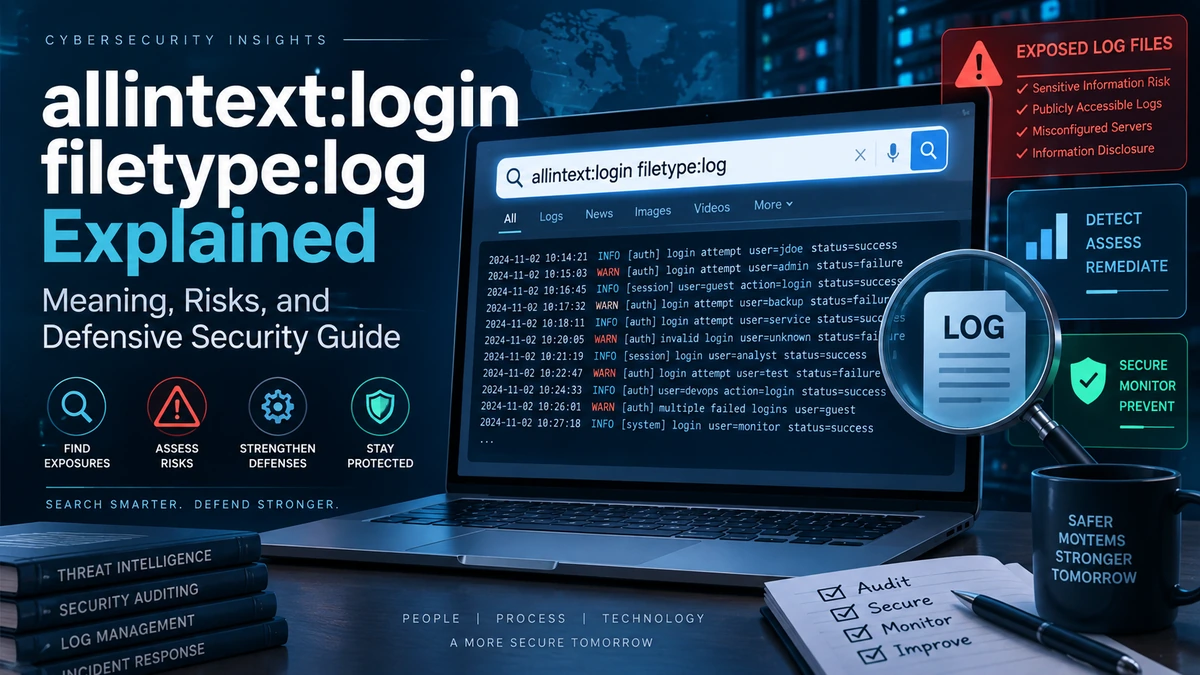
When I see the search phrase allintext:login filetype:log, I treat it primarily as a cybersecurity exposure indicator rather than as an ordinary search query. The phrase combines search filters traditionally associated with what security practitioners often call Google dorking, or using advanced search syntax to narrow publicly indexed information.
The potentially sensitive part is not the search syntax itself. The problem is what poorly configured servers may unintentionally expose. Application logs can contain usernames, email addresses, internal hostnames, IP addresses, database errors, file paths, session information, software versions, authentication events, and, in badly designed systems, even secrets that should never have been logged.
For that reason, I will explain this keyword from a defensive perspective. I will not provide instructions for harvesting passwords, session tokens, or other credentials from third-party systems. Searching for information accidentally exposed by organizations you do not own or have permission to assess can create serious ethical and legal problems.
Google itself documents search operators as tools for refining results, including filetype:. Its current Search Central documentation says the operator can restrict results according to a file type or file extension, and Google can index the contents of many text-based resources.
The practical security lesson is straightforward: if a .log file is publicly reachable without authentication, a crawler may potentially discover it. If that file contains sensitive information, the problem is not that a search engine found it. The underlying problem is that the sensitive file was exposed to the public internet in the first place.
Key Takeaways About allintext:login filetype:log
The most important points I would keep in mind are:
filetype:is an officially documented Google Search operator for narrowing results by file type or extension.allintext:is commonly described as restricting search terms to page text, but it is not included in Google’s current official operator table, so behavior should not be assumed to be guaranteed or permanent.- The word
loginin the query does not automatically mean a result contains usernames or passwords. It may simply contain an authentication-related event message. - A
.logextension does not automatically mean a file is sensitive. - Log files can nevertheless contain highly sensitive information when logging is poorly designed.
- OWASP says passwords, access tokens, encryption keys, database connection strings, and similar secrets generally should not be recorded directly in application logs.
- Publicly accessible logs can reveal useful reconnaissance information even when they contain no passwords.
- Robots.txt is not an adequate security control for confidential files.
- Password protection, access controls, removal of the file, and correct server configuration are stronger protections.
- Google’s Search Console Removals tool can temporarily hide URLs from search, but permanent remediation still requires changing or removing the underlying content.
- If exposed credentials are found in your own logs, removing the file is not enough. The affected secrets should also be rotated or revoked.
- Organizations should centralize logging, restrict access, redact sensitive fields, and monitor log-storage permissions.
- Defensive search audits should be restricted to domains and systems you own or have explicit authorization to test.
From my perspective, the phrase is most useful as a reminder that search-engine indexing can expose mistakes that already exist in server configuration.
What Does allintext:login filetype:log Mean?
The query can be understood by separating it into its components.
What filetype:log Does
Google officially supports the filetype: operator.
Google Search Central explains that it can be used to:
“limit results to a specific file type or file extension.”
Google Search Central
Google also says it can index the contents of most text-based files and that file type can be determined through the HTTP Content-Type header, file extension, or parser behavior. Its current documentation explicitly notes that plain text can be indexed under various extensions.
That means a server exposing a readable text resource ending in .log can potentially make that content discoverable.
I would not assume every .log resource will appear in search. Crawling and indexing depend on many factors, including discoverability, HTTP responses, crawler access, content type, indexing policy, duplicate handling, and Google’s own indexing systems.
What allintext: Traditionally Means
allintext: is commonly described as asking Google to require specified terms to occur within the text of a result.
Google’s current official Search Help documentation does not list allintext: among its main supported operators. A Google Search Community answer has historically described it as restricting results so specified terms occur in the body text.
That difference is important.
I would describe allintext: as a legacy or commonly referenced advanced-search operator, not as something whose exact behavior Google currently guarantees in its primary operator documentation.
What login Means in the Query
The word login is simply a text term.
A log containing that term might show something harmless such as:
Login page loaded successfullyIt could record an authentication failure:
Login failed for user ID 1842Or it could contain much more sensitive information if an application was designed badly.
The presence of the word login therefore tells us very little by itself.
Why Security Researchers Pay Attention to Indexed Log Files
Logs exist because systems need a historical record of activity.
They help developers troubleshoot problems, detect attacks, investigate incidents, monitor reliability, and understand application behavior.
NIST describes sound log management as an important part of information security and recommends structured processes for generating, transmitting, storing, analyzing, and disposing of logs.
That legitimate operational value also makes logs attractive to attackers.
A production log might reveal:
- Internal application routes
- Administrative endpoints
- Hostnames
- User identifiers
- Email addresses
- IP addresses
- Software components
- Error stack traces
- API locations
- Database names
- Cloud infrastructure information
- Session identifiers
- Security events
- Failed login patterns
None of these necessarily represents an immediately exploitable secret, but several can make subsequent reconnaissance substantially easier.
What Should Never Be Stored Directly in Logs?
This is one of the most important defensive lessons associated with the keyword.
OWASP provides explicit guidance about sensitive information.
Its Logging Cheat Sheet says:
“The following should usually not be recorded directly in the logs”
and includes passwords, access tokens, encryption keys, database connection strings, sensitive personal information, session identifiers, and payment-related data among the examples.
That guidance matters even when logs are stored internally.
Access controls fail.
Backups leak.
Cloud storage is misconfigured.
Employees accidentally attach logs to support tickets.
Debug files are copied into public directories.
A server migration can expose an old archive.
Security therefore starts by avoiding unnecessary sensitive logging, not merely by hiding a log directory later.
Sensitive Log Data and the Risk It Creates
The table below shows why different types of leaked log information require different responses.
| Log Content | Typical Security Concern | Defensive Response |
|---|---|---|
| Authentication password | Immediate account compromise | Remove exposure, reset password, investigate access |
| API key | Unauthorized API usage | Revoke and issue new key |
| Access token | Account or service impersonation | Revoke token and invalidate sessions |
| Session identifier | Session hijacking risk | Expire sessions and rotate session secrets if needed |
| Database connection string | Database access risk | Rotate credentials and restrict network access |
| Private key | Severe cryptographic compromise | Revoke or replace key and dependent certificates |
| Email address | Privacy and phishing exposure | Remove unnecessary data and assess notification duties |
| IP address | Privacy or infrastructure reconnaissance | Limit public exposure and evaluate sensitivity |
| Internal hostname | Reconnaissance information | Review architecture exposure |
| Stack trace | Reveals software internals | Disable verbose production errors |
| Software version | May aid vulnerability targeting | Patch systems and minimize unnecessary disclosure |
| User ID | May aid enumeration or profiling | Mask or pseudonymize where appropriate |
The strongest point in this table is that deletion alone is not always remediation.
If an API key has been public for several days, hiding the log does not make the old key secret again.
A secret that may have been exposed should generally be treated as compromised.
Is allintext:login filetype:log a “Google Dork”?
The term Google dork is commonly used for combinations of search operators that identify very specific categories of indexed content.
The technique itself is not automatically malicious.
Search operators have many legitimate uses:
- SEO troubleshooting
- Finding documentation
- Detecting duplicate content
- Discovering exposed files on your own website
- Auditing accidental indexing
- Investigating incident exposure
- Locating outdated documents
- Checking whether removed content remains indexed
Google itself publishes documentation about using search operators for debugging websites. It notes that search operators can inspect aspects of indexed pages, although Search Console is more reliable for debugging because operators are subject to indexing and retrieval limits.
The ethical line depends heavily on authorization and intent.
Searching your own organization’s public domain for accidentally indexed files is defensive.
Searching unrelated organizations specifically to locate credentials and then using them would be something very different.
Safe Defensive Use of Search Operators
When I perform an exposure audit, I recommend limiting the scope to a domain the organization owns.
A safe, bounded pattern looks conceptually like:
site:example.com filetype:logHere, example.com represents a domain you control or are explicitly authorized to assess.
That search can help determine whether obvious log resources from your own site have entered a public search index.
Google itself recommends using the site: operator for periodic checks of sensitive information on domains you own. Its Search Console guidance provides an example of searching a specific owned domain for potentially private identifiers.
I would still use Google Search Console and server-side asset inventories as the primary methods. Search results are incomplete by design and cannot prove that no public exposure exists.
Why Search Results Are Not a Complete Security Scanner
A common misconception is that if a Google query returns nothing, the website must be safe.
That conclusion is incorrect.
Search engines do not index every publicly reachable resource.
A log might be exposed while remaining absent from search because:
- No crawlable link points to it
- The crawler has not discovered it yet
- Indexing was declined
- The response format was unsupported
- The content was considered duplicate
- Crawl limits prevented retrieval
- Search results were filtered
- The resource was discovered by another search engine but not Google
- The file is reachable only through a predictable URL
A security assessment therefore needs direct infrastructure review.
Search indexing is one signal, not a substitute for configuration testing.
How Log Files Accidentally Become Public
In my analysis, most public log exposures result from deployment mistakes rather than deliberate publication.
Logs Written Under the Web Root
Consider a hypothetical web server:
/var/www/site/public/If an application stores logs inside that directory and the web server serves unknown file types, a browser might be able to retrieve them.
The safer architecture is to keep application logs outside publicly served directories and allow access only through appropriate logging infrastructure.
Debug Files Left After Troubleshooting
A developer might temporarily enable verbose debugging and generate a file for troubleshooting.
The issue becomes permanent when the debug setting or file is forgotten.
Incorrect Cloud Storage Permissions
Logs exported to object storage can become publicly readable when bucket or object permissions are wrong.
Backup Archives
A server operator may correctly secure app.log but accidentally expose:
app.log.old
app-log-backup.zip
logs.tar.gz
The original file is protected while the backup is not.
Container and CI/CD Artifacts
Build pipelines can archive logs for debugging.
If those artifacts contain credentials or deployment details and are later made public, the same exposure problem appears in another form.
OWASP’s CI/CD security guidance specifically warns against recording plaintext passwords, tokens, API keys, and similar secrets in logs.
Authentication Logging Without Exposing Passwords
Authentication events should normally be logged because they are valuable for detecting brute-force attacks, credential stuffing, account lockouts, and other suspicious behavior.
That does not mean passwords belong in those records.
A useful authentication event might contain:
timestamp=2026-09-08T10:24:13Z
event=authentication_failure
user_id=48291
source_ip=192.0.2.10
reason=invalid_credentials
It does not need:
password=WinterPassword123OWASP recommends logging authentication successes and failures while explicitly advising against logging authentication passwords.
That distinction is fundamental to secure observability.
Session IDs Are Also Secrets
Developers sometimes understand that passwords should not be logged but fail to apply the same thinking to session cookies.
A valid session identifier can sometimes provide account access without requiring the user’s password.
OWASP recommends avoiding raw session IDs in logs and suggests that, when correlation is necessary, a salted hash can be logged instead.
That allows security teams to correlate events associated with the same session while reducing the damage if the log itself is exposed.
How to Protect Log Files Properly
A secure logging architecture should use multiple controls.
Store Logs Outside Public Web Directories
This is one of the simplest protections.
A file that a web server cannot serve is much less likely to become indexed.
Require Authentication and Authorization
Operations dashboards and log viewers should be accessible only to authorized staff.
NIST’s guidance is direct:
“Limit access to log files.”
NIST SP 800-92
NIST additionally recommends avoiding unnecessary sensitive data and protecting archived log files.
Centralize Logs
Production systems should ideally send logs into controlled logging infrastructure or a SIEM rather than leaving readable text files scattered across public servers.
Centralization improves:
- Access control
- Retention
- Searching
- Alerting
- Integrity monitoring
- Incident response
- Backup policies
Apply Least Privilege
Developers, services, and users should receive only the log access they actually require.
Encrypt Sensitive Storage
Encryption at rest helps reduce the impact of unauthorized storage access.
Protect Log Integrity
An attacker who compromises a server may attempt to erase evidence.
Logs therefore need safeguards against unauthorized deletion and tampering.
Why robots.txt Is Not a Security Feature
One mistake I see repeatedly is placing confidential directories into robots.txt and assuming that makes them private.
It does not.
Google explicitly says robots.txt is not a mechanism for keeping a web page out of Google Search. For sensitive content, Google recommends restricting access to authenticated users or applying appropriate indexing controls.
The deeper problem is that robots.txt is publicly readable.
A sensitive location should be inaccessible to unauthorized users regardless of whether crawlers visit it.
If authentication is the security requirement, implement authentication.
noindex Is Useful, but It Is Not Access Control
Google supports the noindex directive to prevent resources from appearing in search results. It can be applied through a robots meta tag for HTML pages or through the X-Robots-Tag HTTP response header for non-HTML resources.
For example, a non-public document that must technically remain accessible might carry an appropriate indexing header.
But I would not use noindex as the primary protection for confidential logs.
A person who knows the URL may still be able to access the resource directly.
For actual secrets, authorization is the stronger control.
Google itself describes noindex as less secure than removing the information or requiring a password when discussing permanent removal of sensitive content.
What to Do If Your Log File Appears in Google
If I discovered an organization’s own production log in a public search result, I would treat it as an incident.
The appropriate response depends on the contents.
Step 1: Restrict Public Access Immediately
The file should stop being anonymously accessible.
Depending on the situation, that may mean:
- Removing it from the public server
- Moving it outside the web root
- Requiring authentication
- Changing object-storage permissions
- Returning 404 or 410
- Correcting reverse-proxy or server rules
Step 2: Preserve an Internal Copy for Investigation
Before destroying evidence, retain a protected copy if incident-response procedures require it.
The exposed public copy should be removed, while an internal evidence copy can support investigation.
Step 3: Identify What Was Exposed
Review the file for:
- Passwords
- API keys
- Tokens
- Session IDs
- Database credentials
- Personal data
- Internal infrastructure details
Step 4: Rotate Compromised Secrets
Anything secret that may have been publicly reachable should be evaluated for rotation.
Examples include:
- Passwords
- API credentials
- Session signing keys
- Database passwords
- OAuth secrets
- Cloud access keys
Step 5: Review Access Logs
Determine whether the exposed resource was downloaded and from which sources.
Do not assume that removing it from search means nobody accessed it.
Step 6: Request Search Removal
For sites you control, Google’s Search Console Removals tool can temporarily hide a URL from results.
Google warns that the block lasts only about six months and that permanent removal requires changing the underlying resource, such as deleting it, protecting it with authentication, or using appropriate indexing controls.
Step 7: Address Other Search Engines and Caches
Google removal does not remove the file from the internet or from every search provider.
The root fix must always occur at the host.
Step 8: Investigate the Deployment Process
Ask how the log entered a publicly reachable directory.
Without fixing the source process, the same problem may recur.
Defensive Incident Response Priorities
This table provides a practical order of operations.
| Priority | Action | Why It Matters |
|---|---|---|
| 1 | Restrict public access | Stops continuing exposure |
| 2 | Preserve evidence internally | Supports investigation |
| 3 | Identify exposed data | Determines severity |
| 4 | Revoke or rotate secrets | Prevents continued credential abuse |
| 5 | Expire affected sessions | Reduces session hijacking risk |
| 6 | Review access history | Helps determine whether data was retrieved |
| 7 | Notify security/privacy teams | Supports legal and regulatory response |
| 8 | Request search removal | Reduces continued discoverability |
| 9 | Correct deployment configuration | Prevents recurrence |
| 10 | Audit similar systems | Finds related exposures |
The central lesson is that search removal comes after containment.
Making the result disappear from Google is useful, but it does not reverse disclosure.
When a Public Log Becomes a Data Breach
Not every exposed log automatically meets the legal definition of a reportable data breach.
The answer depends on:
- What information was exposed
- Which jurisdictions apply
- Whether the data was actually accessed
- How many people were affected
- Whether information was encrypted
- Applicable contractual requirements
- Sector-specific regulations
A log containing generic server messages might present little privacy risk.
A log containing healthcare information, financial data, credentials, or government identifiers could create a much more serious incident.
Organizations should involve their privacy, security, and legal teams when sensitive personal information may have been exposed.
Common Misconceptions About allintext:login filetype:log
“The Query Automatically Finds Passwords”
No.
The word login can appear in ordinary application messages that contain no credentials.
The query does not inherently identify passwords.
“Every .log File Is Dangerous”
No.
Many logs contain ordinary diagnostic information.
The security risk depends on the contents and infrastructure context.
“If Google Indexed It, Google Caused the Leak”
Usually, no.
If a crawler can anonymously retrieve a sensitive file, the original security problem is the server’s public accessibility.
“Blocking Googlebot Fixes the Exposure”
No.
A human attacker does not need to follow crawler instructions.
“Deleting the Search Result Revokes the Credentials”
No.
Credentials must be rotated independently.
“No Results Means the Site Is Secure”
No.
Search indexing is incomplete.
“Google Dorking Is Always Illegal”
Search operators have legitimate uses. Authorization, intent, jurisdiction, and subsequent actions determine whether a specific activity is appropriate.
How Developers Can Prevent Sensitive Logging
The best log-exposure incident is the one that never contains useful secrets.
Implement Field-Level Redaction
A logging pipeline can replace secret values with placeholders.
For example:
Authorization: [REDACTED]instead of recording an authentication token.
Use Structured Logging
Structured logs make it easier to explicitly control which fields enter the logging system.
A team can define an allowed schema rather than logging entire request objects.
Do Not Log Entire HTTP Requests by Default
Requests may contain:
- Password fields
- Cookies
- Authorization headers
- Tokens
- Personal information
Logging complete requests is convenient for debugging but dangerous in production.
Separate Development and Production Logging
Development environments may need verbose diagnostics.
Production should generally use more controlled logging.
Review Third-Party Libraries
Frameworks, proxies, load balancers, observability agents, and cloud services can each generate their own logs.
Sensitive-data policies should cover all of them.
How Security Teams Can Audit Their Own Exposure
I recommend combining several methods.
Search Console Review
Google Search Console provides a first-party view into how Google sees your website.
Domain-Restricted Search Checks
Google recommends site: searches as one way of spot-checking sensitive content belonging to your own site.
Web Server Configuration Review
Inspect aliases, static-file directories, virtual-host rules, and default directory mappings.
Cloud Storage Inventory
Identify publicly readable storage objects and buckets.
Secret Scanning
Run authorized secret-scanning tools across:
- Source repositories
- Build artifacts
- Backups
- Log archives
- Container images
External Attack-Surface Monitoring
Organizations with large footprints can use authorized external monitoring to detect newly exposed services and files.
Search queries should be one small part of that process.
Ethical Boundaries for Security Research
Search engines index public information, but public availability does not automatically create permission to exploit it.
If I accidentally encounter credentials belonging to another organization, the responsible response is not to test those credentials.
Testing them could create unauthorized access.
A responsible disclosure approach generally involves:
- Avoiding further access to sensitive material.
- Recording only the minimum information necessary to demonstrate the issue.
- Identifying the organization’s official security contact.
- Reporting the exposure clearly.
- Allowing the organization time to remediate.
Bug bounty and vulnerability disclosure policies can provide clearer authorization boundaries when they exist.
Why This Search Pattern Still Matters in 2026
Modern organizations use sophisticated cloud security tools, but accidental file exposure remains possible.
Applications still produce logs.
Developers still enable debugging.
Cloud objects still receive incorrect permissions.
Legacy servers remain online.
Automation can publish artifacts to the wrong location.
The fundamental risk has not changed: operational information intended for administrators can accidentally become internet-facing.
At the same time, Google continues to index many text-based formats and still supports the filetype: search operator. Its documentation, updated in February 2026, says that text files and other extensions can be indexed when Google can interpret their content.
That makes search visibility an ongoing part of attack-surface management.
My Recommended Secure Logging Model
In my view, mature organizations should design logging around five principles.
First, collect only what has a defined operational or security purpose.
Second, never record raw secrets simply because doing so makes debugging easier.
Third, centralize logs into access-controlled infrastructure rather than scattered web-accessible files.
Fourth, monitor the logging system itself, including permission changes, deletion attempts, storage failures, and unexpected data patterns.
Fifth, treat accidental public indexing as an incident, not merely as an SEO problem.
That model aligns well with both OWASP’s application logging recommendations and NIST’s enterprise log-management guidance.
Conclusion
I see allintext:login filetype:log less as a clever search trick and more as a useful illustration of what can happen when operational data is exposed to the public web. Google’s filetype: operator can narrow results by file format or extension, while text-based resources can be indexed when they are publicly accessible and crawlable.
The real security issue is therefore not the search engine. It is the logging and hosting configuration behind the result.
Well-designed systems should avoid recording passwords, API keys, raw session identifiers, connection strings, encryption keys, and other unnecessary secrets. Log files should live outside publicly served directories, use strict authorization, and be managed through controlled logging infrastructure. OWASP and NIST both emphasize protecting logs and minimizing sensitive information inside them.
If an organization’s own log is discovered in search, my recommended sequence is containment, investigation, secret rotation, access review, permanent server-side remediation, and then search-result removal.
The best next step for website owners is to audit only their authorized domains and verify that no debug, backup, or log resources can be accessed anonymously.
READ: How to Sew a Zipper: Easy Step-by-Step Guide for Beginners
Frequently Asked Questions
What Does allintext:login filetype:log Mean?
allintext:login filetype:log is a search phrase combining a text-focused search term with Google’s filetype: filtering syntax. The filetype:log portion attempts to narrow results to resources associated with the .log extension, while login looks for authentication-related text. Google officially documents filetype:, although allintext: is not listed in its current primary operator documentation. The query does not automatically identify passwords or valid credentials.
Is allintext:login filetype:log a Google Dork?
It is commonly described as a Google dork because it combines search syntax to identify a narrow class of indexed information. The phrase “Google dork” is informal rather than an official Google product term. Search operators themselves have legitimate uses, including debugging websites and checking the indexing of content you own. The security concern arises when someone uses advanced searches to locate and exploit sensitive third-party information without authorization.
Is Using This Search Illegal?
A search query itself is not enough to determine legality. Laws differ by jurisdiction, and authorization and subsequent actions matter. Searching your own website for accidental exposure is a normal defensive activity. Attempting to use passwords, tokens, or private information obtained from systems you do not own can cross into unauthorized-access territory. For professional security testing, I recommend obtaining explicit written authorization and defining the scope before investigating systems.
Can Google Really Index .log Files?
Google says it can index the content of most text-based files and can use file extensions, HTTP content types, or parsing behavior to determine file type. Its documentation also supports the filetype: operator for finding particular formats or extensions. That means a publicly accessible text log can potentially become indexed, although appearance in search is never guaranteed.
Should Passwords Ever Appear in Application Logs?
No, authentication passwords generally should not be recorded directly in application logs. OWASP explicitly identifies passwords, access tokens, encryption keys, connection strings, and other secrets as information that should usually be removed, masked, hashed, sanitized, or encrypted rather than directly logged. The safest practice is to design the logging schema so these values never reach ordinary log storage in the first place.
Are Login Attempts Safe to Log?
Yes, authentication events are valuable security telemetry when implemented correctly. OWASP recommends logging authentication successes and failures because they can help detect brute force, credential stuffing, password spraying, and other attacks. The event should identify enough context to investigate suspicious behavior while excluding the actual password and other secrets.
Is robots.txt Enough to Protect Log Files?
No. Robots.txt is designed to guide crawler behavior, not to enforce confidentiality. Google explicitly warns that robots.txt is not the correct mechanism for keeping sensitive web pages out of search. Confidential log files should require authorization or be stored where the public web server cannot serve them.
How Can I Remove an Exposed Log From Google?
If you own the site, first remove or restrict access to the exposed file. Google Search Console’s Removals tool can then temporarily block a URL from search results. Google says that the temporary block lasts roughly six months, so a permanent fix still requires deleting the resource, requiring authentication, or otherwise preventing indexing.
What Should I Do if a Log Exposed an API Key?
Treat the API key as potentially compromised. Remove public access to the log, revoke or rotate the exposed key, review activity associated with it, and investigate how the value entered the log. Merely deleting the indexed file does not invalidate copies that may already have been downloaded. You should also update logging rules so future API keys are automatically redacted.
Should Session IDs Be Logged?
Raw session IDs should generally not be stored in logs. OWASP recommends using a salted hash when session-level correlation is necessary rather than recording the actual session identifier. This preserves the ability to connect related events while reducing the possibility that a stolen log can be used directly for session hijacking.
Does an Empty Google Search Mean My Website Has No Exposed Logs?
No. Google Search results are not a complete inventory of publicly accessible resources. A file can be reachable but not indexed, recently exposed, filtered from search, or unknown to the crawler. Organizations should combine Search Console, server configuration review, cloud-storage auditing, secret scanning, and authorized external attack-surface monitoring rather than relying on one query.
What Is the Safest Way to Check My Own Site?
Restrict any search-based audit to domains you own or have permission to test, and combine it with Google Search Console and direct server-side review. Google itself recommends site: searches as a way to spot-check sensitive information on owned sites. For real assurance, however, inspect public directories, storage permissions, web-server mappings, backups, and logging infrastructure directly.
Sources and References
- Google Search Help, Refine Google searches, for Google’s official description of advanced search operators and
filetype:usage. - Google Search Central, Debugging with Search Operators, for the current search-operator documentation and cautions about operator limitations.
- Google Search Central, File Types Indexable by Google, for current information on text-file indexing, file-type interpretation, and
filetype:searches. - OWASP Logging Cheat Sheet, for secure logging design, authentication event logging, sensitive-data exclusion, and log protection.
- OWASP Session Management Cheat Sheet, for guidance on avoiding raw session identifiers in logs.
- OWASP CI/CD Security Cheat Sheet, for warnings against logging passwords, tokens, API keys, and comparable secrets.
- NIST SP 800-92, for enterprise security log-management practices, limiting log access, and protecting archived log data.
- Google Search Console Removals documentation, for temporary removal of URLs and requirements for permanent removal.
- Google Search Central noindex documentation, for controlling search indexing and using
X-Robots-Tagwith non-HTML resources.
Disclaimer
This article is provided for cybersecurity education, defensive administration, and authorized security assessment. It does not encourage accessing accounts, credentials, logs, or systems belonging to third parties without permission. Advanced search techniques can reveal information that organizations accidentally made public, but public discoverability does not necessarily grant authorization to use, test, copy, or exploit that information. Security professionals should operate within clearly defined authorization, applicable law, organizational policy, and responsible-disclosure procedures.
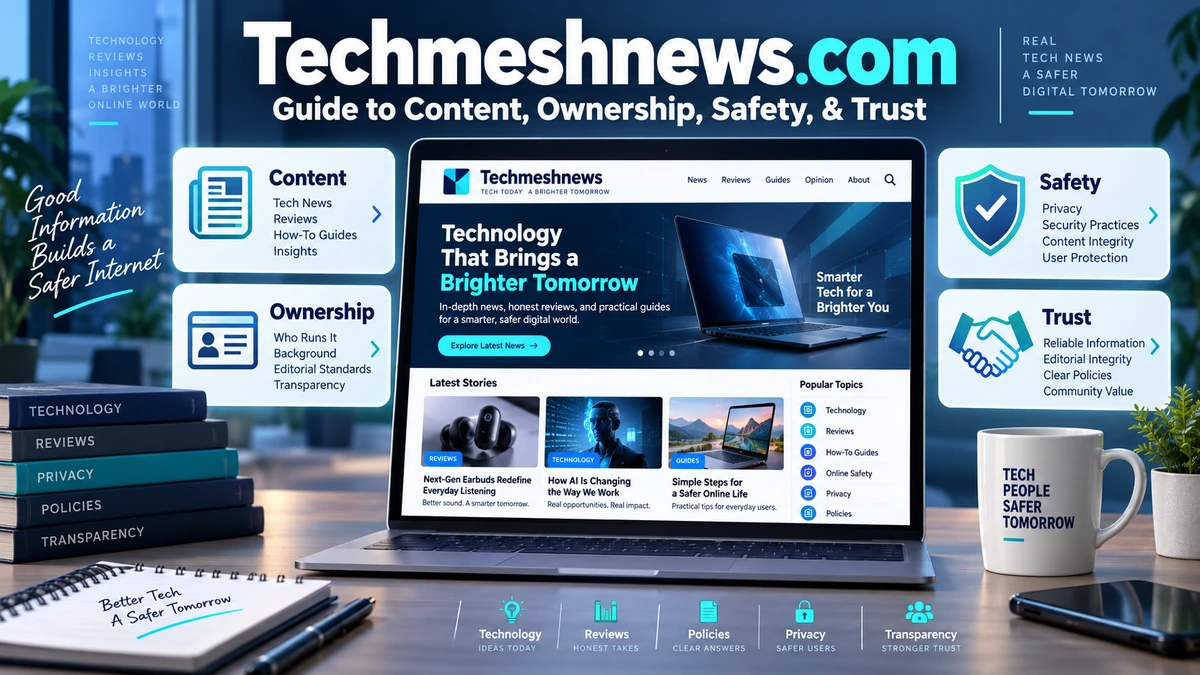
When I look at Techmeshnews.com, the first thing I notice is that its name tells only part of the story. Tech Mesh News clearly positions technology as a major part of its identity, and its navigation includes dedicated sections for computers, laptops, apps and games, digital marketing, gadgets, SEO, social media, and software. The same website, however, also publishes across health, business, education, home improvement, food, automobiles, pets, law, entertainment, travel, and other general-interest subjects.
That makes Techmeshnews.com better understood as a multi-category digital publication with a strong technology focus rather than a narrowly specialized technology newsroom. Its own contributor page reinforces that interpretation. Tech Mesh News describes itself as a broad platform that accepts ideas about technology products, business, travel, entertainment, fashion, health, home improvement, and more.
The site also has a longer history than many recently appearing web publications. Its About page says Techmeshnews.com was founded in 2020 by Ambika Taylor, while independent WHOIS-based domain data records the domain’s creation on October 28, 2020. Those two pieces of evidence align reasonably well, although a domain-registration date should not automatically be treated as proof of the precise editorial launch date.
What interests me most, however, is not simply whether the domain exists. Readers searching for Techmeshnews.com often want to know whether the publication is legitimate, who is behind it, whether the information can be trusted, how personal data is handled, whether content may be contributed by outside writers, and how much verification should be applied before following technical, health, financial, or legal advice.
Based on the current public pages, I would describe Tech Mesh News as an active, established web publishing domain with identifiable first-party policies and a broad article archive. At the same time, I would not treat every article as automatically authoritative merely because it appears on an established HTTPS website. The publication covers subjects with very different evidentiary requirements, so article-level verification remains important.
Key Takeaways About Techmeshnews.com
The most important facts I found are:
- Techmeshnews.com is the website of Tech Mesh News, a broad digital publication with technology as one of its central categories.
- The official About page says the website was founded in 2020 by Ambika Taylor.
- WHOIS-based reporting lists the domain registration date as October 28, 2020 and the registrar as NameCheap.
- Technology sections include computers, laptops, apps and games, digital marketing, gadgets, SEO, social media, and software.
- The publication also covers health, business, education, home improvement, food, automobiles, pets, law, entertainment, and travel.
- Many currently indexed homepage articles use the byline Elishay Smith.
- The website has a Write For Us program and says it accepts original contributions of at least 1,000 words across numerous subject areas.
- Its privacy policy says comments may involve collection of IP addresses, browser user-agent information, email-derived hashes, cookies, and user-profile information where accounts exist.
- Its cookie policy says cookies can be used for necessary functions, personalization, advertising, analytics, and third-party embedded content.
- The domain currently supports HTTPS according to independent technical reporting.
- The site’s public contact information is somewhat inconsistent because different policy pages publish different Gmail addresses.
- The disclaimer page contains an apparent leftover reference to another domain,
hammburg.com, which readers should recognize as a publishing or template inconsistency rather than silently assuming it describes Tech Mesh News. - High-stakes information involving health, finance, law, cybersecurity, or major purchases should be independently verified before action.
My overall view is that Techmeshnews.com is best used as a source for discovery and general reading, with the amount of additional verification increasing as the consequences of a wrong claim become more serious.
What Is Techmeshnews.com?
Techmeshnews.com is the primary domain of Tech Mesh News, an online article publication whose stated objective is delivering information about trends and innovations.
The official About page provides a very short description of that mission. One line captures it directly:
“dedicated to providing you with latest trends and amazing innovations.”
Tech Mesh News, About Us
The wording is broad, and the site’s navigation reflects that breadth.
Technology is highly visible. Readers can browse subjects related to:
- Android
- Computers
- Laptops
- Apps and games
- Digital marketing
- Gadgets
- SEO
- Social media
- Software
But the menu does not stop there. It also contains Home Improvement, Health, Business, Education, and General, with many additional subcategories.
In my analysis, that structure puts Tech Mesh News somewhere between a technology blog and a general-interest informational publication.
A reader searching “how to reset AirPods” may encounter the site through its technology content, while another reader might arrive through an article about health, food, real estate, pets, travel, or another unrelated subject.
That broad search footprint is important when deciding what kind of editorial standards to expect. A publication that covers only one specialist field can build expertise around a focused subject. A broad publishing platform has to rely on author expertise, contributor quality, sourcing, editing, and fact-checking across many different disciplines.
Who Founded Tech Mesh News?
The official About page states that Techmeshnews.com was founded in 2020 by Ambika Taylor.
That is the strongest first-party source I found for the founder’s identity.
I did not find a detailed biography of Ambika Taylor on the site’s current About page. The page does not provide information such as professional background, education, previous publishing experience, corporate role, or a detailed history of the organization.
I therefore would not add those details without stronger evidence.
The limited founder biography does not invalidate the site, but it does mean readers have fewer public signals for evaluating editorial leadership than they would find at a large publication with named editors, staff biographies, organizational addresses, and transparent governance information.
How Old Is Techmeshnews.com?
Independent WHOIS-based reporting shows that techmeshnews.com was registered on October 28, 2020. The same current technical report lists NameCheap as the registrar and says the registration record was updated in January 2026.
That registration date is consistent with the site’s own statement that it was founded in 2020.
I make one important distinction here.
A domain creation date establishes when the domain registration record was created. It does not necessarily prove the exact date the first article was published, when the current design launched, or whether the publication operated under another form before that date.
Still, compared with very new websites that appear only a few weeks before readers encounter them, a domain dating back to 2020 gives Tech Mesh News several years of online history.
Techmeshnews.com Website Snapshot
The following table separates what I could verify directly from information that remains unclear.
| Website Detail | What the Available Evidence Shows |
|---|---|
| Website | Techmeshnews.com |
| Publication name | Tech Mesh News |
| Stated founding year | 2020 |
| Named founder | Ambika Taylor |
| Domain registration | October 28, 2020 |
| Registrar | NameCheap |
| HTTPS | Detected |
| Main focus | Technology plus general-interest content |
| Technology categories | Computers, laptops, apps, games, digital marketing, gadgets, SEO, social media, software |
| Other categories | Health, business, education, home improvement, food, auto, pets, law, entertainment, travel |
| Prominent current byline | Elishay Smith |
| Contributor submissions | Accepted |
| Minimum guest contribution | 1,000 words according to current contributor page |
| Privacy policy | Available |
| Cookie policy | Available |
| Terms | Available |
| Disclaimer | Available |
| Named headquarters address | I did not find one on the principal public pages reviewed |
| Contact information | Email addresses are provided, but different pages list different addresses |
The most important interpretation is that Tech Mesh News has more transparency than a completely anonymous one-page site, but its public organizational information remains limited compared with a traditional established newsroom.
What Topics Does Techmeshnews.com Cover?
The website’s category system is unusually broad.
Technology Coverage on Techmeshnews.com
Technology is still the clearest thematic center.
Recent and indexed articles include subjects such as artificial intelligence, low-code and no-code software, Snapdragon laptops versus Intel and AMD systems, AirPods resets, iPhone screen recording, and online services.
This makes the Technology section relevant for people searching for:
- Device troubleshooting
- Software explanations
- Consumer electronics
- AI topics
- Laptop comparisons
- Digital services
- Apps
- Marketing technology
- Search engine optimization
- Social media
For basic troubleshooting, an article can provide a useful starting point.
For anything involving account recovery, device security, firmware, destructive resets, financial accounts, or sensitive data, I would compare instructions with official manufacturer documentation before performing irreversible actions.
Health and Medical Subjects
The site includes Health categories for Dental Care, Women’s Health, Diseases, and Fashion & Beauty. Its homepage archives have also featured technology-health combinations such as an article about AI dentistry.
Health content deserves a substantially higher verification standard than ordinary technology commentary.
A reader should check:
- Who wrote the article
- Whether medical credentials are provided
- Whether reputable medical sources are cited
- When the information was last updated
- Whether the content distinguishes general education from diagnosis or treatment
- Whether claims agree with recognized medical organizations
I would not use a general-interest web article alone to start, stop, or alter treatment.
Business and Finance
Tech Mesh News has Business categories including Finance, Real Estate, and Construction.
Business content can range from harmless general discussion to potentially consequential financial guidance.
A marketing idea might require little independent verification.
Advice about taxes, investment returns, mortgages, securities, legal ownership, property transactions, or financial products requires much more.
My approach is to distinguish education from personalized advice.
Education and Careers
The Education category includes Jobs & Career, Online-Education, and Exams.
Readers should verify dates, eligibility requirements, examination rules, application deadlines, tuition amounts, and job requirements against the relevant school, employer, government agency, or examination authority.
These details change frequently.
General Lifestyle Content
The General category extends into food, automobiles, pets, baby topics, law, entertainment, and travel.
This mixture demonstrates why I do not classify the publication as purely technological even though technology is central to its brand.
Who Writes for Tech Mesh News?
A large number of the articles visible in the current homepage index use the name Elishay Smith as the author. Examples include posts about AI dentistry, laptops, software development, AirPods, iPhone screen recording, and several general subjects.
The breadth of those subjects is notable.
What I have not found is a detailed public author biography on the homepage evidence establishing specialist credentials across all of the fields covered.
That does not mean the author lacks expertise.
It means I do not have sufficient public information to claim particular credentials.
Whenever a byline covers a large number of unrelated specialist topics, I focus less on the name alone and more on whether each article demonstrates reliable sourcing.
Tech Mesh News Accepts Outside Contributors
One of the more useful transparency clues is the site’s Write For Us page.
It openly describes Techmeshnews as a broad platform for writers and bloggers and says potential contributions can cover technology products, business ideas, travel, entertainment, fashion, health, home improvement, and many other areas.
The site makes its breadth explicit:
“Being a broader network we don’t have any compulsion to any specific subjects.”
Tech Mesh News, Write For Us
Its current contributor guidelines state that submitted articles should be unique, readable, well researched, structured with headings and subheadings, and at least 1,000 words. The site also says its editorial team retains the right to make final edits.
Another short rule says:
“We only accept unique content.”
Tech Mesh News, Write For Us
That is a positive stated standard, although readers should remember that a publication’s contributor guidelines describe what it intends to accept. They do not independently prove the accuracy or originality of every published article.
Why Guest Contributions Matter When Evaluating Articles
Guest publishing is common across the web and is not inherently a problem.
It does, however, mean readers should avoid assuming every page was produced by one centralized specialist editorial staff.
When reading a guest or contributor-style article, I check for:
- A clear author byline.
- Relevant expertise.
- Original sources.
- Commercial links.
- Disclosure language.
- Evidence supporting factual claims.
- A publication date.
- Whether recommendations benefit a specific company.
This matters particularly in product, finance, health, SEO, and business content, where commercial incentives can affect framing.
Is Techmeshnews.com Legit?
If the question is whether Techmeshnews.com is a real operating website with an established domain history, the available evidence supports that conclusion.
The official site is accessible, maintains a large indexed article archive, publishes About, Contact, Terms, Privacy, Cookie, Disclaimer, and contributor pages, and has a domain that dates to 2020. Independent technical reporting also detects HTTPS support.
I would therefore not describe the domain as an obviously fabricated or newly created website.
However, “legitimate website” and “authoritative source” are not synonyms.
A website can be real while publishing articles of varying quality.
The better question is often:
Is this specific Tech Mesh News article reliable enough for the decision I need to make?
That requires article-level evaluation.
Is Techmeshnews.com Safe to Visit?
From a connection-security perspective, independent technical reporting says Techmeshnews.com supports HTTPS and SSL/TLS.
HTTPS encrypts communication between your browser and the server.
It is important, but its meaning is limited.
HTTPS does not independently verify:
- Editorial accuracy
- Ownership transparency
- Medical advice
- Financial recommendations
- External links
- Advertisers
- Affiliate products
- Downloaded software
A website can have excellent HTTPS and still publish inaccurate information.
I therefore treat the padlock as a basic security requirement rather than an endorsement.
Privacy Practices on Techmeshnews.com
The site’s Privacy Policy follows a structure commonly seen on WordPress publications.
It says that when visitors leave comments, the site can collect the information in the comment form as well as the visitor’s IP address and browser user-agent string for spam detection. It also says an anonymized email-derived string may be sent to Gravatar, and approved profile pictures can become publicly visible with comments.
The policy also warns users against uploading images containing embedded GPS location metadata because website visitors may be able to extract that information.
For registered users, where registration is available, the policy says personal information in profiles can be stored and edited. Users can also request exports or erasure of certain personal data, subject to information that must be retained for administrative, legal, or security purposes.
I would therefore avoid placing unnecessary personal details into public comments.
How Cookies and Embedded Content Work
The separate Cookie Policy says Tech Mesh News uses cookies for several reasons.
Some are described as technically necessary.
Others can enable personalized experiences or advertising through selected third-party networks.
The policy also says embedded videos or content from services such as YouTube or Facebook can result in cookies from those external services. Social sharing tools can similarly involve third-party cookies when users are logged into the corresponding services.
The Privacy Policy independently notes that embedded third-party content may collect data, use cookies, perform tracking, and monitor interactions in much the same way as visiting the third-party website directly.
That is fairly standard on modern publishing websites, but it is worth knowing for privacy-conscious readers.
Contact and Transparency Signals
Tech Mesh News provides contact routes, but this is one area where I found a noticeable inconsistency.
The dedicated Contact page lists:
worldmusti@gmail.com
The Terms and Conditions page lists:
techinpack11@gmail.com
The Disclaimer page lists:
techmeshnewsofficial@gmail.com
The Write For Us page again directs contributors to techinpack11@gmail.com.
There can be legitimate reasons for maintaining different addresses for contributors, legal matters, and general inquiries. However, these pages do not clearly explain such a division.
In my view, a future site update could improve transparency simply by defining one main contact identity and clearly labeling specialized addresses.
An Error in the Disclaimer Page Is Worth Noting
The site’s Disclaimer includes language stating that information is published for general informational purposes.
However, one paragraph refers to hammburg.com when discussing warranties and liability, even though the page itself belongs to Techmeshnews.com.
I would interpret that as an apparent template, copying, or editing inconsistency.
It does not establish that the sites are connected.
It also does not prove anything malicious.
But it is a useful reminder that policy pages should be read rather than simply treated as proof of quality because they exist.
If a legal or privacy document contains references to another domain, I would want the publisher to correct it so readers can be certain which entity the document is intended to cover.
How I Would Evaluate Tech Mesh News Content
Different article types deserve different levels of scrutiny.
| Content Type | Typical Consequence if Wrong | What I Would Verify |
|---|---|---|
| General technology news | Low to moderate | Original announcement, date, company source |
| Phone or laptop troubleshooting | Moderate | Manufacturer support documentation |
| Software instructions | Moderate | Current software version and official documentation |
| Product comparison | Moderate | Current specifications, pricing, independent testing |
| SEO and digital marketing | Moderate | Search-engine documentation and current platform policies |
| Health information | High | Medical organizations, research, clinician guidance |
| Finance | High | Regulators, institutions, current law and qualified advice |
| Law | High | Jurisdiction, statutes, courts, qualified legal guidance |
| Education and exams | Moderate to high | Official institutions and current deadlines |
| Travel | Moderate | Government advisories, operators and current rules |
| Home improvement | Moderate to high | Codes, manufacturer instructions and professionals |
| Entertainment | Low | Original creator, studio, platform or publication sources |
The main lesson is proportionality.
I would not spend 30 minutes fact-checking an entertainment opinion.
I would absolutely verify a legal, medical, financial, or destructive device-reset instruction before acting.
A Step-by-Step Method for Checking a Techmeshnews.com Article
Step 1: Read the Publication Date
Technology changes quickly.
A tutorial that was correct two years ago may now refer to a menu, setting, processor generation, or software interface that no longer exists.
Step 2: Check the Author
Look for the byline.
If the article gives no author biography or credentials, do not invent expertise on the writer’s behalf.
Step 3: Identify the Important Claims
Separate opinions from statements that can be checked.
Examples include:
- Product specifications
- Prices
- Release dates
- Health claims
- Legal requirements
- Software compatibility
- Financial calculations
Step 4: Follow the Sources
A technical article is considerably stronger when it links to:
- Apple
- Microsoft
- Samsung
- Chip manufacturers
- Software documentation
- Government agencies
- Research papers
- Recognized standards
Step 5: Search for the Primary Source
If an article says a company launched a new product, find the manufacturer’s announcement.
If it discusses a software feature, check the official documentation.
Step 6: Check Whether the Article Has Commercial Links
A product recommendation deserves additional scrutiny when the publisher can earn money if the reader buys the product.
The Tech Mesh News navigation currently includes an Amazon Affiliate Disclaimer page, indicating that affiliate relationships are relevant enough to have a dedicated policy link, although the page itself was not retrievable through the source I reviewed.
Step 7: Verify High-Stakes Advice Independently
Do not let one general-interest article become the only basis for a medical, investment, legal, or security decision.
Strengths of Techmeshnews.com
One strength is breadth.
The site covers a huge range of questions, meaning readers can encounter it for everything from AirPods troubleshooting to business, health, food, or travel topics.
Another strength is its relatively long domain history.
A 2020 registration means the website has been associated with the same domain for several years rather than appearing immediately before a current search query.
The publication also provides basic legal and transparency pages, including About, Contact, Terms, Privacy, Cookies, Disclaimer, and contributor guidelines.
Its Write For Us page states expectations for original, researched, long-form submissions, which provides at least some published contributor standard.
Finally, the site appears easy to access without forcing readers through a general subscription wall before ordinary articles can be viewed.
Limitations I Would Keep in Mind
The main limitation is that breadth can dilute specialist authority.
A website covering technology, medicine, finance, real estate, legal topics, pets, travel, and entertainment has to maintain quality across fields that normally require very different expertise.
A second limitation is the absence of detailed staff biographies on the principal pages I reviewed.
The About page identifies founder Ambika Taylor but provides little additional organizational information.
A third limitation is contact inconsistency.
Three different Gmail addresses appear across several official pages.
A fourth limitation is the disclaimer’s incorrect reference to another website, which weakens confidence in how carefully that policy text was maintained.
A fifth consideration is guest publishing.
Contributor content can be excellent, but an open contributor model makes individual article sourcing and authorship even more important.
Common Misconceptions About Techmeshnews.com
“Tech Mesh News Covers Only Technology”
No.
Technology is a major focus, but its categories also include health, business, education, home improvement, food, automobiles, pets, law, entertainment, and travel.
“A 2020 Domain Means Every Article Is Reliable”
Domain age can establish continuity.
It cannot establish the accuracy of an individual article.
“HTTPS Means the Website’s Advice Has Been Verified”
HTTPS protects network communication.
It does not fact-check content.
“Every Article Is Written by the Founder”
The site names Ambika Taylor as founder, but homepage content currently displays the Elishay Smith byline repeatedly, and Tech Mesh News also invites external writers to contribute.
“A Write For Us Page Automatically Means Paid Sponsored Content”
Not necessarily.
The site clearly accepts submissions, but I would not label any particular article sponsored unless the page itself or another reliable source establishes that relationship.
“The Server Location Tells Us Where Tech Mesh News Is Headquartered”
No.
Independent technical data currently places the detected server in the United States, but that source explicitly warns that server location can reflect hosting infrastructure and does not establish the owner’s physical location.
I did not find a verified headquarters address in the first-party pages reviewed.
My Assessment of Techmeshnews.com in 2026
Based on the available evidence, I classify Techmeshnews.com as an established multi-category web publication with a substantial technology component.
Its domain history dates to 2020, the official About page identifies a founder, the website provides multiple policies, and its article archive is extensive. These are stronger transparency signals than I would see on a newly created anonymous site.
At the same time, I would not give every article the same level of trust.
For a general explanation of a technology trend, entertainment topic, or lifestyle idea, Tech Mesh News can function as a useful discovery source.
For an AirPods reset, I would confirm the procedure with Apple.
For a health article, I would check medical authorities.
For a financial article, I would verify current regulations and institutional guidance.
For legal information, I would confirm the jurisdiction and primary law.
That approach avoids two extremes.
There is little justification for treating the website as automatically unreliable simply because it is a broad online publication.
There is equally little justification for treating every page as authoritative merely because the domain is several years old.
The useful middle ground is evidence-based reading.
Conclusion
I believe the clearest way to understand Techmeshnews.com is as a technology-centered but broad digital publication rather than a conventional specialist technology newsroom. The website says it was founded in 2020 by Ambika Taylor, and independent registration data supports a 2020 origin for the domain. Its technology coverage includes computers, laptops, apps, software, gadgets, SEO, social media, and digital marketing, while the broader publication also extends into health, business, education, home improvement, law, entertainment, travel, pets, food, and other subjects.
I see useful signs of an established publishing operation, including HTTPS, a long archive, contributor guidelines, a privacy policy, terms, contact information, and cookie disclosures. I also see reasons to read critically, such as broad subject coverage, limited author biographies, inconsistent contact addresses, and an apparent unrelated-domain reference in the disclaimer.
My recommended next step is straightforward: use Tech Mesh News for discovery, then verify any claim that could materially affect your health, money, legal rights, security, education, or purchasing decisions through an appropriate primary or authoritative source.
READ: Therapist for Anxious Attachment Style: How to Find the Right Help
Frequently Asked Questions
What Is Techmeshnews.com?
Techmeshnews.com is the website of Tech Mesh News, an online publication covering technology and numerous general-interest subjects. Its technology sections include computers, laptops, apps and games, digital marketing, gadgets, SEO, social media, and software. The site also publishes health, business, education, home improvement, food, automobile, pet, law, entertainment, and travel material, so I would classify it as a broad digital publication with technology as a central focus.
Who Founded Tech Mesh News?
The official Tech Mesh News About page says Techmeshnews.com was founded in 2020 by Ambika Taylor. The page does not currently provide an extensive public biography explaining the founder’s professional background or editorial experience. For that reason, I would use the founder name and year as first-party facts but avoid adding personal or career information that is not supported by reliable evidence.
When Was Techmeshnews.com Created?
Independent WHOIS-based reporting lists October 28, 2020 as the registration date for Techmeshnews.com. That timing aligns with the publication’s own statement that it was founded in 2020. A domain-registration date is not necessarily identical to the exact website launch date, but it establishes that the current domain has existed since 2020 rather than being a newly registered 2026 website.
Is Techmeshnews.com Legit?
Techmeshnews.com appears to be a genuine operating publication with an established domain history, a large article archive, HTTPS, an About page, contact information, contributor guidelines, terms, privacy disclosures, and a cookie policy. That supports describing it as a real website. It does not mean every article has been independently verified, so readers should still check the sourcing and expertise behind important technical, medical, financial, or legal claims.
Is Techmeshnews.com Safe?
The domain currently supports HTTPS according to independent technical reporting, which means browser-to-server traffic can be encrypted. That is a positive technical signal, but HTTPS does not certify editorial quality, external links, advertisements, downloads, or factual accuracy. I would follow standard browsing precautions and independently verify consequential advice, especially before installing software, entering credentials, making payments, changing security settings, or following health or financial recommendations.
What Does Tech Mesh News Publish?
Tech Mesh News publishes content across technology, health, business, education, home improvement, news, and general lifestyle areas. The technology menu includes Android, computers, laptops, apps and games, digital marketing, gadgets, SEO, social media, and software. Broader categories cover areas such as dental care, women’s health, finance, real estate, construction, careers, examinations, food, automobiles, pets, law, entertainment, and travel.
Who Writes Articles on Techmeshnews.com?
Many articles displayed in the site’s current index carry the Elishay Smith byline, including technology and general-interest posts. Tech Mesh News also runs a contributor program through its Write For Us page, meaning the publication can contain material from outside writers as well. Because I did not find comprehensive biographies for every author, I recommend evaluating expertise and sourcing individually rather than assuming the same level of specialist knowledge across every subject.
Does Tech Mesh News Accept Guest Posts?
Yes. The site’s Write For Us page explicitly invites writers and bloggers to submit material across technology, business, travel, entertainment, fashion, health, home improvement, and other areas. The current guidelines call for unique content of 1,000 words or more, headings and subheadings, and research. Tech Mesh News also states that its editorial team can make final edits and reserves the right to remove published contributions.
Does Techmeshnews.com Collect Personal Data?
Its privacy policy says the site can collect information associated with comments, including the submitted form data, visitor IP address, and browser user-agent string. Cookies can store comment details and login information where relevant, and registered-user profile information can also be stored. Embedded third-party content may engage in its own tracking. Users are told they can request exports or deletion of certain personal data held by the site.
Does Techmeshnews.com Use Cookies?
Yes. The site’s Cookie Policy says cookies can be used for technical functions, personalization, advertising, and third-party services. Embedded content from sites such as YouTube or Facebook may set additional cookies, and social-sharing services may do the same when users are logged into those platforms. Readers can generally restrict cookies through browser controls, although the policy warns that disabling them can affect some website features.
Why Are There Different Tech Mesh News Contact Emails?
Different official pages currently display different Gmail addresses. The Contact page uses worldmusti@gmail.com, the Terms and Write For Us pages use techinpack11@gmail.com, and the Disclaimer lists techmeshnewsofficial@gmail.com. The website does not clearly explain whether each address serves a separate department. I would therefore use the address shown on the page most relevant to the inquiry and keep a copy of any correspondence.
Is Techmeshnews.com a Technology or Entertainment Website?
I would categorize Techmeshnews.com primarily under Technology, because technology has a dedicated and detailed section covering computers, laptops, software, gadgets, apps, SEO, digital marketing, and social media. Entertainment is present, but it appears as one subsection within the broader General category rather than the site’s dominant identity. If you must choose between Technology and Entertainment as a category for the website, Technology is the stronger fit.
Sources and References
- Tech Mesh News homepage and navigation, for the publication’s categories, current article archive, author bylines, and overall content structure.
- Tech Mesh News About Us, for the stated 2020 founding year, founder Ambika Taylor, and publication mission.
- Tech Mesh News Write For Us, for guest-contributor categories, minimum article length, originality requirements, and editorial policies.
- Tech Mesh News Privacy Policy, for information about comments, IP addresses, cookies, account data, embedded content, retention, and data rights.
- Tech Mesh News Cookies Policy, for cookie purposes, advertising, personalization, embedded social media, and browser controls.
- Tech Mesh News Terms and Conditions, for user-content rules, external-link responsibility, backups, liability language, and contact information.
- Tech Mesh News Disclaimer, for the site’s general-information disclaimer and the currently visible unrelated-domain wording.
- IPAddress.com domain report, for the October 28, 2020 domain-registration date, registrar, HTTPS detection, DNS information, and technical hosting details.
Disclaimer
This article is an independent informational review and is not affiliated with Tech Mesh News, Techmeshnews.com, Ambika Taylor, Elishay Smith, NameCheap, or any company or contributor mentioned on the website. I have based factual statements on publicly accessible Tech Mesh News pages and current third-party domain information available during research. Website ownership details, contributors, policies, contact addresses, categories, technical infrastructure, articles, and domain records can change after publication. Describing Techmeshnews.com as an established operating website is not an endorsement of every article, advertisement, external link, product, health claim, financial statement, legal interpretation, or recommendation published there. Readers should independently verify consequential technical, medical, legal, financial, security, educational, and purchasing information before acting on it.
-
 Entertianment2 months ago
YarrList: What It Is, Safety, Legality, and Alternatives
-

 AI2 months ago
vrgamegirl19/comfyui-vrgamedevgirl: Features, Setup, Installation, and Safety Guide
-
 Business2 months ago
410 Terry Avenue N Seattle WA 98109: What Is at This Address?
-
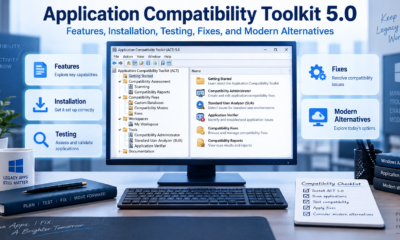
 Technology2 months ago
Application Compatibility Toolkit 5.0: Features, Installation, Testing, Fixes, and Modern Alternatives
-

 Health2 months ago
Hemp Gummies for Soothing Relief 750mg / 30 Count: Facts, Safety, Ingredients, and Evidence
-

 AI2 months ago
Open CoDesign: What It Is, Features, Setup, and How It Works
-
 Guide2 months ago
Best Laptops for Writers in 2026: 7 Top Picks for Writing, Research, and Travel
-

 Business2 months ago
Doubtnut Valuation: From $154M Peak to $10M ALLEN Acquisition